Yes, but only under specific conditions: the transcription model runs entirely on-device, encryption keys stay in your hands rather than a vendor's servers, and you can verify no network traffic leaves the device during processing. Apps like Obsidian Ridge Labs' Cove build around these three requirements. Without all three, "private" is a marketing word, not a technical fact.
TL;DR:
- Only apps that run entirely on-device, keep encryption keys locally, and verify no network traffic during processing truly ensure privacy for sensitive notes.
- Confirm zero-knowledge encryption and local inference by testing offline operation with airplane mode and inspecting outbound network traffic.
- Disable system-wide Apple Intelligence and enable advanced data protections to prevent OS-level data collection that could compromise privacy.
- Local-first storage offers better defense against vendor access, legal requests, and server breaches, though it limits server-side features like search and multi-device sync.
- Use a simple workflow to capture, encrypt, back up, and periodically export sensitive notes to maintain privacy without sacrificing usability.
Table of Contents
- What to Check Before You Trust an App With Sensitive Notes
- How to Verify Processing Stays on Your Device
- Locking Down iOS Settings for Journal and Transcription Privacy
- Matching Your Threat Model to the Right Storage Choice
- A Practical Workflow for Capturing and Protecting Sensitive Notes
- Why On-Device Design Is the Right Default, Not a Compromise
- Try Cove for Private, On-Device Journaling
- Where to Verify These Claims Yourself
- Sources
What to Check Before You Trust an App With Sensitive Notes
Before you type anything you'd call a session note, mood log, or personal disclosure into an iOS app, run it through a short technical audit. The distinction that matters most is between end-to-end (zero-knowledge) encryption, where only you hold the decryption key, and encryption-at-rest, where the vendor holds keys and can technically read your plaintext if compelled or breached. Marketing copy rarely spells this out, so you have to dig.
Here's what to verify before storing anything sensitive:
- Encryption model: Confirm whether the app uses zero-knowledge encryption or provider-held keys. Only zero-knowledge setups prevent the company itself from reading your content.
- Inference location: Does transcription or AI summarization run locally, or does it fall back to a cloud server for "complex" requests?
- Backup and export paths: Who holds the recovery key for backups, and can you export in an open format without vendor lock-in?
- Account protections: Look for passkey support and two-factor authentication on the account layer itself.
- AI training opt-outs: The privacy policy should state explicitly that your notes are never used to train models, not just imply it.
- Permission scope: Check what cross-app context the app requests, and whether it asks before pulling data from Contacts, Photos, or other apps.
Pro Tip: Search the app's privacy policy for the phrase "may be used to improve our services." That phrase is often a euphemism for AI training on your content. Its absence is a good sign, not proof.
How to Verify Processing Stays on Your Device
Claims about "on-device AI" are easy to print and hard to fake once you know how to test them. You don't need a computer science degree, just a controlled test and a few minutes.
- Run the offline test. Turn on Airplane Mode, disable Wi-Fi separately, and try the transcription or journaling feature. If it still works and produces the same quality output, that's strong evidence the model runs locally rather than phoning home.
- Inspect network traffic directly. Tools like the iOS-NetworkInspector project let you watch outbound packets while a feature runs. No outbound traffic during transcription is the clearest technical proof you'll get.
- Look for a named runtime. Legitimate on-device apps usually document which local model or framework performs inference. Vague claims like "advanced AI" with no named runtime are a yellow flag.
- Watch the UI for routing disclosures. A transparent app tells you, before a feature runs, whether it will hit a server. Silence on this point is itself informative.
Pro Tip: Record a short, unique test phrase and transcribe it once offline and once online. Compare the outputs and any request logs. Identical results with zero network activity during the offline run confirm the model isn't quietly enriching your data server-side.
Locking Down iOS Settings for Journal and Transcription Privacy
Your app choice matters, but iOS itself controls a layer above any single app. A few settings changes close gaps that no third-party app can fix on its own.
Start with Apple Intelligence. Go to Settings → Apple Intelligence & Siri and toggle it off, confirming the change applies system-wide. This matters because OS-integrated assistants can pull context across multiple apps at once, which broadens what a single privacy breach can expose well beyond one journal entry.
From there, work through these device-level protections:
- Enable Advanced Data Protection for iCloud, which extends end-to-end encryption to more of your backed-up data, though it doesn't cover every iCloud service by default.
- Use lock features or a local-first vault for your most sensitive entries rather than relying on a shared Notes folder.
- Set a strong passcode and Face ID or Touch ID, with a short auto-lock window, since physical device theft is a far more common threat than a remote server breach.
- Turn on encrypted local backups through Finder or iTunes instead of, or alongside, iCloud, so a recovery key isn't sitting on someone else's server.
Our guide to disabling Apple Intelligence walks through each toggle with screenshots if you want the visual version.
Matching Your Threat Model to the Right Storage Choice
Privacy isn't one setting. It's a set of trade-offs that depend on what you're actually defending against. Four threat categories cover most real-world cases:
- Device theft: A strong passcode and full-disk encryption (standard on iOS) handle this well on their own.
- Vendor access: Only zero-knowledge encryption defeats this, since providers holding your keys can technically decrypt your notes even while claiming strong security.
- Subpoena or legal request: A vendor served with a warrant can only hand over what it can access. If it holds no keys, it has nothing readable to give.
- Server breach: End-to-end encrypted cloud storage protects content even if attackers get inside the server, since stolen data stays encrypted without the user's key.
Local-first storage wins on every category above but costs you something: server-side search, AI summarization across entries, and multi-device sync all get harder without a server in the loop. For therapy-style notes specifically, that trade is usually worth making. Local-first or end-to-end encrypted storage with keys you control is the more defensible default when the content is this sensitive.
A Practical Workflow for Capturing and Protecting Sensitive Notes
A privacy-first setup only works if the daily habit is simple enough to stick. Here's a workflow that holds up under actual use:
- Capture the raw audio locally and transcribe it with an on-device model where one is available.
- Tag sensitive entries immediately and move them into a locked or local-first vault rather than a general notes folder.
- Back up with encryption you control through local device backups or an E2EE sync service, never a default cloud folder.
- Export periodically in Markdown or plain text to a secure offline archive, separate from your primary device.
- Test deletion and recovery on a spare device before you rely on the system for anything irreplaceable, and store your recovery passphrase separately from iCloud.
- Write down your own retention rule. Decide how long entries live before deletion, and follow it.
Why On-Device Design Is the Right Default, Not a Compromise
The industry has spent years treating "the cloud can do more" as an unquestioned trade-off you accept for convenience. Obsidian Ridge Labs builds on the opposite assumption: for content this personal, capability that requires shipping your words to a server isn't a feature worth the exposure. That's a design philosophy, not a limitation you settle for.
Transparent routing makes the difference auditable rather than promised. A named local runtime, an explicit preview before anything optional leaves the device, and keys that stay with the user turn "trust us" into something you can actually check. On-device models do have real limits, smaller context windows, less horsepower for open-ended summarization, and Apple's own architecture occasionally falls back to Private Cloud Compute for complex requests. The honest answer is to disclose that fallback clearly and keep it as rare as the technology allows, not to pretend it never happens.
— Alex
Try Cove for Private, On-Device Journaling
If everything above sounds like a lot of manual verification, that's because it is. Obsidian Ridge Labs built Cove to pass every check on that list by default: transcription and journaling run entirely on-device, with no cloud fallback silently kicking in and no vendor holding a copy of your keys.

Cove documents exactly which local runtime handles inference, previews any optional network feature before it activates, and lets you export your entries in open formats whenever you want, no waiting on a support ticket. It's available through the App Store as either a one-time purchase or a subscription, depending on how you use it. For a deeper technical walkthrough of how Apple's on-device AI and Private Cloud Compute actually work, read our privacy verification guide, or head straight to the Cove product page to see it for yourself.
Where to Verify These Claims Yourself
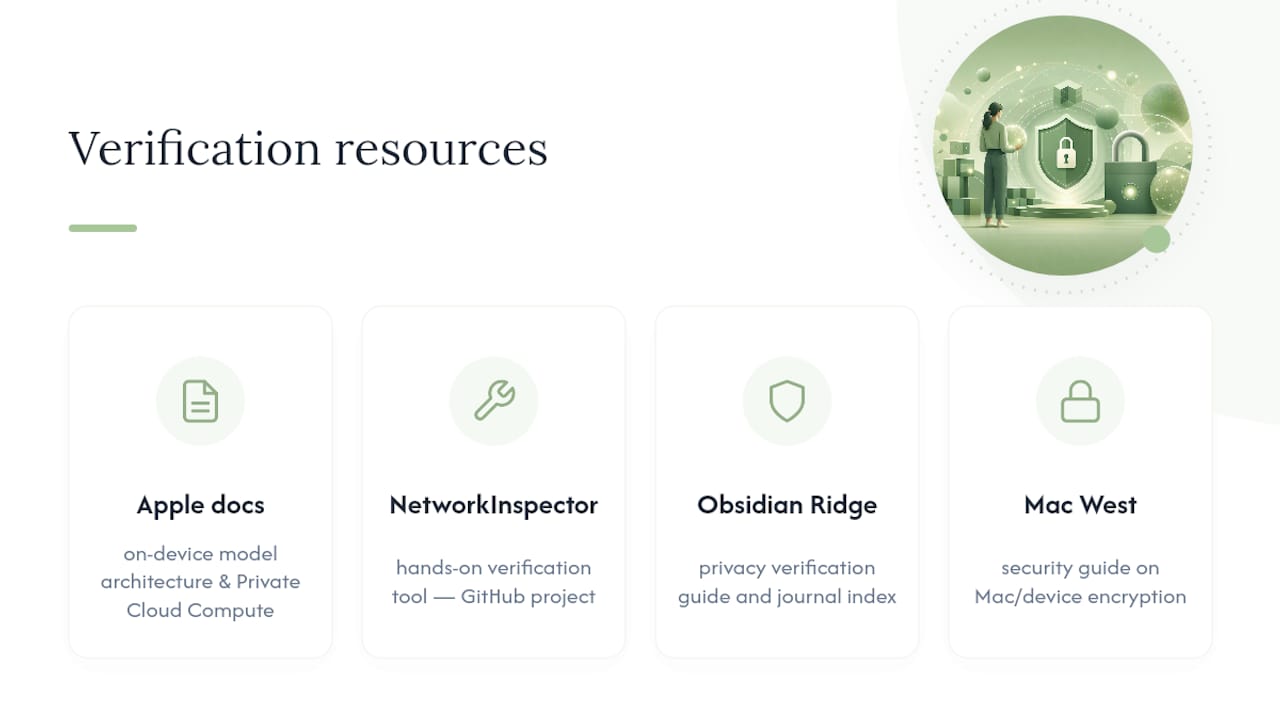
For deeper reading, Apple's own documentation covers on-device model architecture and Private Cloud Compute reporting. The iOS-NetworkInspector project on GitHub gives you a hands-on verification tool, and Obsidian Ridge Labs' privacy verification guide and journal index collect ongoing analysis on Apple's ecosystem. For background on how encryption works at the Mac and device level, see this security guide from Mac West Los Angeles.
Sources
- Local Is Not a Sufficient Privacy Boundary: Governing OS-Integrated On-Device AI
- Privacy concerns with onboard AI — Apple Intelligence opt-out steps
- Secure note-taking apps: what you're actually protecting | ImpressiveMagazine
- iOS-NetworkInspector (GitHub)