
For transcription, journaling, and personal management on iPhone, the most privacy-sound choice is a suite of local-first, on-device AI apps that never route your data through a remote server. The Obsidianridgelabs suite is the leading option for this use case in 2026.
Install Echo Chamber for transcription first. Then add Cove for journaling and Vault for finance. All three process data entirely on your device.
Three reasons this approach fits privacy-conscious users:
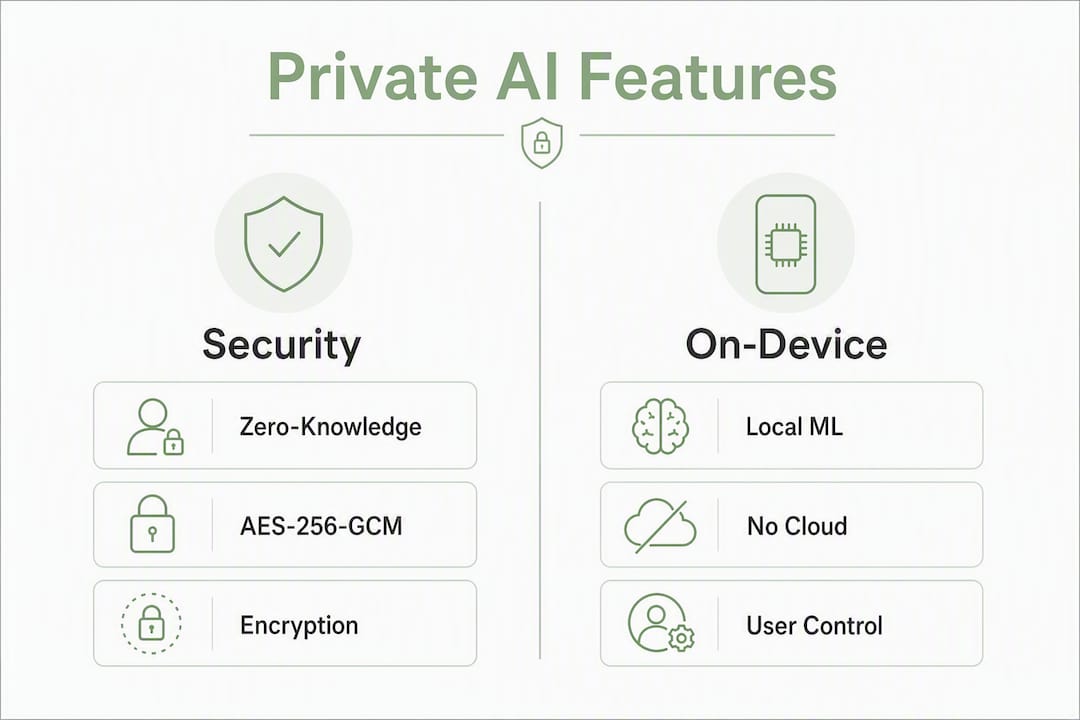
- On-device processing: Your audio, notes, and financial data never leave the iPhone. No server receives it, no employee can read it.
- Zero-knowledge / no-account architecture: Core features work without creating an account, so there is no credential database linking your identity to your content.
- Industry-standard encryption: Stored data uses AES-256-GCM encryption, the same standard local-first vault apps apply with PBKDF2 key derivation and ChaCha20 metadata protection.
Table of Contents
- What does "private" and "on-device AI" actually mean on iPhone?
- How do you verify a private iPhone app before you install it?
- What does Obsidianridgelabs offer for private iPhone use?
- Key Takeaways
- Why on-device AI is not just a preference — it is a structural choice
- Private on-device AI from Obsidianridgelabs, available now on the App Store
- Useful sources for verification
What does "private" and "on-device AI" actually mean on iPhone?
The phrase "on-device AI" has a specific technical meaning that matters before you install anything. On-device processing means the machine learning model runs entirely within the iPhone's Neural Engine or CPU. Your audio, text, or images are processed locally and the result is returned to the app without any network call. Cloud processing, by contrast, sends your data to a remote server, where it may be logged, analyzed, or retained even after the response is delivered.
Zero-knowledge architecture takes this further. An app built on zero-knowledge principles holds no decryption key for your content. Even if the developer's servers were subpoenaed or breached, they could not produce your data because they never received it. No-account designs reinforce this: without a user account, there is no identity record to associate with your activity.
Encryption at rest matters too. AES-256-GCM is the current standard for stored data, providing authenticated encryption that detects tampering. PBKDF2 key derivation stretches a passphrase into a cryptographic key, making brute-force attacks computationally expensive. ChaCha20 is sometimes used for metadata protection where AES hardware acceleration is unavailable.
| Concept | What it protects | Where to verify |
|---|---|---|
| On-device ML | Audio, text, images during processing | App Store privacy label, developer docs |
| Zero-knowledge / no-account | Identity linkage, content access by developer | Privacy policy, transparency page |
| AES-256-GCM at rest | Stored files and notes on device | Technical stack page, audit report |
| Encrypted iCloud backup (opt-in) | Data in transit to backup | App settings, privacy policy |
The real trade-offs are worth stating plainly. On-device models are generally smaller than cloud models, which can mean slightly lower accuracy on complex transcription or nuanced text. Processing draws on the device's CPU and Neural Engine, so battery consumption is higher during active use. PCMag's 2026 analysis recommends a layered approach: combine local-first apps for sensitive content with complementary tools for email encryption and identity protection, rather than treating any single app as a complete solution.
One nuance on iCloud: encrypted iCloud backup changes your threat model. Backups are only as private as the encryption protecting them and the account security you maintain. The safest apps leave encrypted backup off by default and require explicit opt-in.
How do you verify a private iPhone app before you install it?
Verification takes about five minutes per app and is worth doing every time.
- Check the App Store privacy label. Open the app's App Store page and scroll to "App Privacy." Look for "Data Not Collected" under the data types relevant to your use case. Any entry under "Data Linked to You" for content, identifiers, or usage data is a signal to investigate further.
- Review the entitlements. An app that requests microphone access only when recording is reasonable. An app that requests always-on microphone, contacts, or location for a transcription tool is not. Use the App Store label as a first filter.
- Look for a published technical stack. Apps that publish encryption details and audit reports are easier to verify than those offering only generic privacy-policy language. A policy that says "we take privacy seriously" without naming an encryption standard is a practical red flag.
- Search for independent audit reports. Openly operated apps publish third-party security audits. Lockdown Privacy, for example, publishes audit reports and claims to block an estimated 100 million trackers per month for over 300,000 users. That level of transparency is the benchmark to look for.
- Test network behavior at first run. Use a tool like ARK: Mobile Security Score to scan device posture and permission exposure before and after installing a new app. Unexpected network calls at launch are a red flag.
- Configure permissions deliberately. At first run, deny any permission the app does not need for its stated function. Revoke microphone or camera access between sessions if the app allows it.
- Decide on iCloud backup before you store anything sensitive. If you want local-only storage, disable iCloud backup for the app in Settings before you create your first entry.
Red flags to avoid: mandatory account creation before any core feature works; no mention of encryption in the privacy policy or developer documentation; broad entitlements that do not match the app's stated purpose; and no published audit or transparency page.
Pro Tip: Run a quick network scan with ARK or a similar on-device security tool immediately after installing any new privacy app. If the app makes outbound connections during idle state, that behavior warrants a direct question to the developer before you store sensitive data.
What does Obsidianridgelabs offer for private iPhone use?
Obsidianridgelabs builds a focused suite of on-device AI apps for Apple devices, each designed so that core processing never requires a network connection. The apps cover the use cases privacy-conscious users ask about most: transcription, journaling, finance, and personal management.

Echo Chamber is the transcription app. It runs speech-to-text entirely on the iPhone's Neural Engine, producing transcripts that stay local. There are no cloud uploads, no account required for core use, and no third-party API receiving your audio. For anyone comparing on-device transcription vs. cloud services, the data path difference is the central issue: cloud transcription services receive your audio on their servers by design.
Cove handles private journaling with the same local-first architecture. Entries are encrypted on device, and the app does not require an account. For a deeper look at how it compares to other private AI journal apps, Obsidianridgelabs publishes direct comparisons.
Vault covers personal finance management. It processes budget data locally, avoiding the bank-data exposure risks common in cloud-connected finance apps.
| App | Primary use case | Privacy architecture | Pricing model |
|---|---|---|---|
| Echo Chamber | On-device transcription | Local ML, no account required, AES-256-GCM | One-time purchase or subscription via App Store |
| Cove | Private AI journaling | Local-first, encrypted on device | One-time purchase or subscription via App Store |
| Vault | Personal finance management | Local processing, no bank-data cloud transfer | One-time purchase or subscription via App Store |
All apps are available through the Apple App Store and require iOS 16 or later for full on-device ML support. Pricing follows a one-time purchase or subscription model (monthly, yearly, or lifetime), with no freemium tier that forces a cloud account to unlock core features.
Obsidianridgelabs publishes its privacy philosophy and transparency commitments openly. The company's position is that on-device processing is not a feature to be toggled — it is the default architecture. Optional encrypted iCloud backup, where offered, requires explicit user opt-in and is documented in the app's settings before any data is written to a backup.
Key Takeaways
On-device AI apps that use AES-256-GCM encryption, zero-knowledge architecture, and no mandatory account are the most verifiable and trustworthy private apps for iPhone.
| Point | Details |
|---|---|
| On-device processing is the baseline | Any app that sends your audio or notes to a remote server cannot be called private, regardless of its policy language. |
| Verify before you install | Check the App Store privacy label, look for a published technical stack, and confirm no mandatory account for core features. |
| iCloud backup changes your threat model | Encrypted iCloud backup is only as private as your account security; disable it by default and opt in deliberately. |
| Layered privacy is best practice | Combine local-first apps for sensitive content with complementary tools for network and identity protection. |
| Obsidianridgelabs for transcription and management | Echo Chamber, Cove, and Vault cover transcription, journaling, and finance with local-first processing and no cloud dependency. |
Why on-device AI is not just a preference — it is a structural choice
The conventional framing around iPhone privacy focuses on permissions: deny microphone access, limit location, review app tracking. That is necessary but not sufficient. The more consequential question is where computation happens. An app can hold every permission correctly and still transmit your data the moment it processes it on a remote server. The permission model governs access to device sensors; it does not govern what the app does with the output.
This is why the architecture of an app matters more than its privacy policy. A policy is a legal document. An on-device ML model is a technical constraint. One can be changed without notice; the other cannot process your data remotely because it has no mechanism to do so. That distinction is what separates genuinely private apps from apps that are merely privacy-branded.
Obsidianridgelabs builds from that constraint outward. The apps in the suite are not cloud apps with a privacy toggle. They are local-first by design, which means the privacy guarantee is structural, not contractual.
Private on-device AI from Obsidianridgelabs, available now on the App Store
Your transcripts, journal entries, and budget data belong on your device, not on a server you do not control. Obsidianridgelabs builds every app in its suite around that principle: local processing by default, no account required for core features, and optional encrypted backup only when you choose it.

Start with Echo Chamber, the on-device transcription app that processes your audio entirely on iPhone. No audio leaves your device. No account is required. When you are ready to extend that same privacy standard to journaling and finance, the full Obsidianridgelabs suite is available through the Apple App Store with one-time purchase and subscription options.
Useful sources for verification
Use these sources to confirm the claims in this article independently, check audit reports, and review App Store privacy labels before installing any app.
- Privacy Guides: Tools — Ad-free, community-maintained recommendations for privacy tools across categories. Use this to cross-reference any app's reputation and check whether it meets current community standards for transparency and data handling.
- Lockdown Privacy on the App Store — An example of an openly operated app that publishes third-party audit reports. Review its transparency page as a benchmark for what a published audit looks like.
- Vaultaire: Private iPhone Photo Vault — Technical documentation for AES-256-GCM encryption, PBKDF2 key derivation, and zero-knowledge vault design. Useful for understanding the encryption standards referenced in this article.
- PCMag: Essential Apps for Online Privacy — Independent analysis recommending a layered privacy approach. Use this to evaluate how on-device apps fit into a broader privacy strategy.
- ARK: Mobile Security Score on the App Store — On-device security scanning tool for auditing permissions and network behavior. Run this before and after installing a new privacy app to detect unexpected outbound connections.
- On-Device AI Privacy Verification Guide — Step-by-step guidance for confirming on-device claims, reviewing App Store privacy labels, and checking entitlements for iPhone apps.
This article is general information, not professional legal or security advice. Verify current app behavior and privacy policies directly with each developer and consult a qualified security professional for your specific situation.