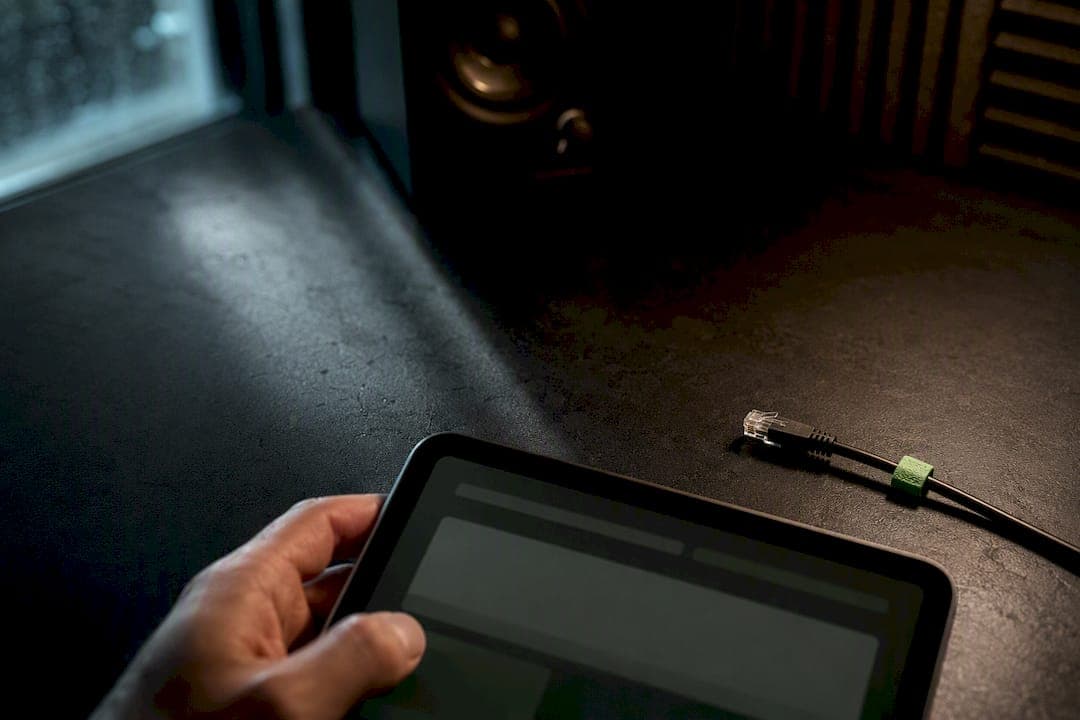
For most privacy-conscious users, an on-device app is the fastest route to accurate, private transcripts with minimal setup. Heavy or specialized workloads do better on a self-hosted model you can tune. Only the most sensitive workflows, think legal depositions or classified interviews, justify a fully air-gapped appliance. Pick your architecture first, then fix your recording setup and model settings. The checklist below walks through both.
TL;DR:
- On-device apps offer the highest privacy but may produce less accurate transcriptions with complex audio due to limited model size.
- Improving recording quality by close mic placement and reducing background noise has a greater impact on accuracy than switching models.
- Key settings such as using focused keyterm lists, accurate speaker count, and proper VAD tuning significantly boost transcription precision on self-hosted models.
- Hardware limitations like memory and processing power influence the speed of offline transcription, requiring stress testing before deployment.
- Verifying offline claims involves disconnecting all networks during transcription to ensure no data is sent externally, confirming true offline operation.
Table of Contents
- Which Offline Architecture Gives You the Best Transcription Accuracy Offline?
- What Recording Setup Actually Improves Offline Transcription Quality?
- Which Offline Model Settings Actually Move Accuracy?
- How Fast and Reliable Is Offline Transcription in Practice?
- How Do You Verify a Transcription Tool Is Actually Offline?
- What I'd Actually Recommend for Most Privacy-Minded Professionals
- Echo Chamber Handles the Setup So Your Audio Never Has To Leave the Device
- Sources
- FAQ
Which Offline Architecture Gives You the Best Transcription Accuracy Offline?
The architecture you choose determines your ceiling for accuracy and your floor for privacy risk. There are three real options, and each fits a different reader.
On-device apps run the entire pipeline, audio capture, processing, and output, inside a single device with no data leaving it. This is the strongest privacy posture available, and it's the model Obsidian Ridge Labs builds around. The tradeoff is model size: phones and tablets can't run the largest speech models, so accuracy on messy audio (crosstalk, heavy accents, technical jargon) can lag behind bigger systems.
Self-hosted models, run on a personal server or workstation, give you access to larger, more accurate model weights and full control over settings. You trade convenience for tunability: expect real setup time, driver and dependency management, and ongoing maintenance as models update.
Air-gapped appliances, hardware physically disconnected from any network, are reserved for the highest-sensitivity work: classified material, active litigation, or regulated health records where even a self-hosted machine with a network card is too much risk.
Match the choice to your constraints:
- Low technical skill, moderate volume, strong privacy need: on-device app
- High volume, domain-specific vocabulary, comfortable with command-line tools: self-hosted model
- Legal, medical, or classified material where any network exposure is unacceptable: air-gapped appliance
- Multiple recording sources or Apple hardware already in daily use: on-device app first, self-hosted as a fallback
What Recording Setup Actually Improves Offline Transcription Quality?
Most transcription errors don't come from the model. They come from the recording. A full-pipeline analysis of transcription accuracy found that mic placement, room acoustics, and per-speaker capture typically move word error rate more than switching to a better model does. Fix the input before you touch the settings.
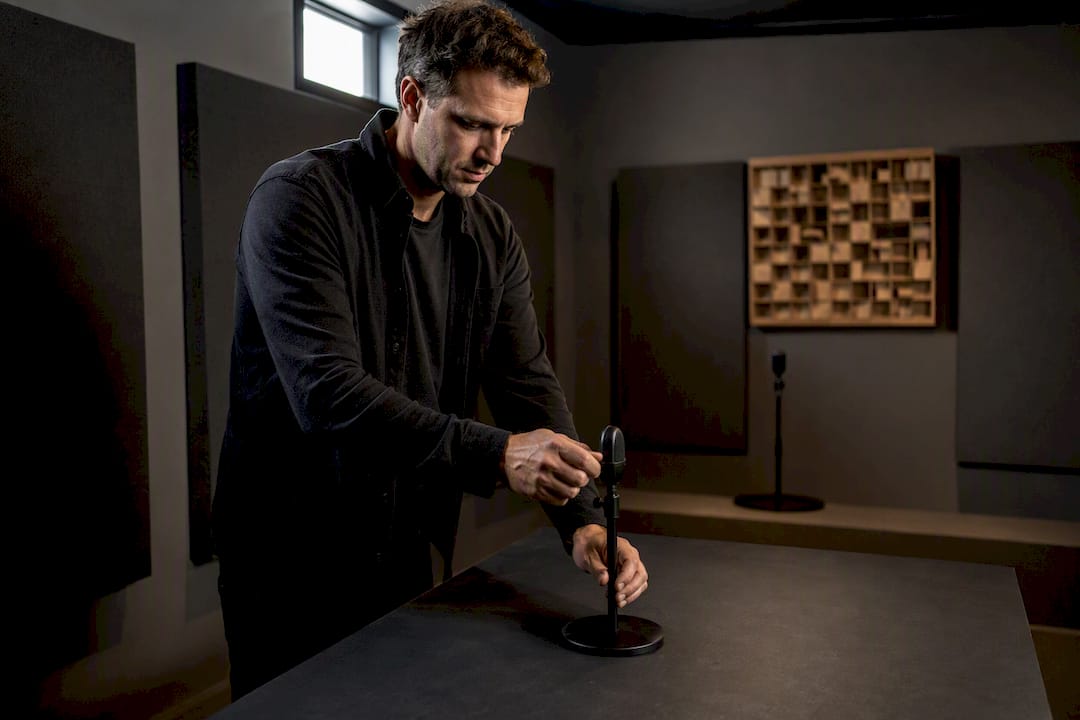
Pro Tip: If you can only fix one thing before a recording, fix mic distance. A directional mic at 4 to 8 inches from the mouth solves more accuracy problems than any model upgrade.
Here's the sequence that produces the cleanest source audio:
- Position a directional microphone a close distance from the speaker's mouth, typically a few inches; for group calls, give each speaker their own lavalier or headset mic rather than relying on one room mic.
- Cut room reverb: soft furnishings, curtains, or foam panels reduce the echo that confuses speech models far more than most people expect.
- Turn off HVAC and other steady background noise sources before recording, not after.
- Use headphones on every speaker in a multi-person call so one person's audio doesn't bleed into another's microphone.
- Record in WAV or FLAC when possible. If storage forces compression, keep MP3 at a moderate to high bitrate, generally recommended at or above a certain threshold. Anything lower starts erasing the frequency detail models depend on.
- Save each speaker to a separate track or file if your recording software supports it. Per-speaker audio makes diarization dramatically more reliable than trying to separate voices after the fact.
Run through that list before every recording session, and you'll likely see fewer downstream errors than any post-processing step can fix.
Which Offline Model Settings Actually Move Accuracy?
Model choice and configuration come second, but they still matter, especially once your recording quality is solid. For self-hosting, toolchains built on the Whisper family, including faster-whisper, and frameworks like Parakeet TDT, offer a real balance of accuracy and speed for local and self-hosted deployments. Lightweight on-device models are the right call on phones and tablets, where memory and battery limits rule out the largest weights.
Bigger models generally transcribe more accurately, but only if your hardware can run them without choking. A large model that swaps to disk constantly is worse in practice than a mid-size model running smoothly.
Four settings do most of the heavy lifting once you've picked a model:
- Keyterm lists: supply a focused list of domain-specific terms, avoiding overly long or indiscriminate vocabularies rather than a sprawling glossary. Amazon Transcribe's documentation on custom vocabularies notes that a shorter, targeted list beats an indiscriminate one, and overloading the list risks hallucinated terms appearing where they don't belong.
- Explicit language selection: never leave language auto-detection on for known, single-language recordings. It removes an entire class of guesswork.
- Correct speaker count: tell the model how many speakers to expect when the setting exists. Guessing wrong here degrades diarization badly.
- Voice activity detection (VAD) tuning: adjust silence thresholds so the model doesn't chop words at the start or end of turns, a common issue in fast back-and-forth dialogue.
If your chosen model doesn't output speaker labels at all, don't force it. Run a separate diarization model, or fall back to per-speaker recording so the transcript can be reassembled by track instead of by guesswork.
How Fast and Reliable Is Offline Transcription in Practice?
Real-time factor (RTF) measures how long transcription takes relative to the audio's actual length. An RTF of 1.0 means processing takes exactly as long as the recording; below 1.0 is faster than real time. Live captioning needs an RTF well under 1.0 to feel responsive. Batch transcription of a recorded interview can tolerate an RTF of 2 or 3 without anyone noticing, since nobody's waiting on the output in real time.
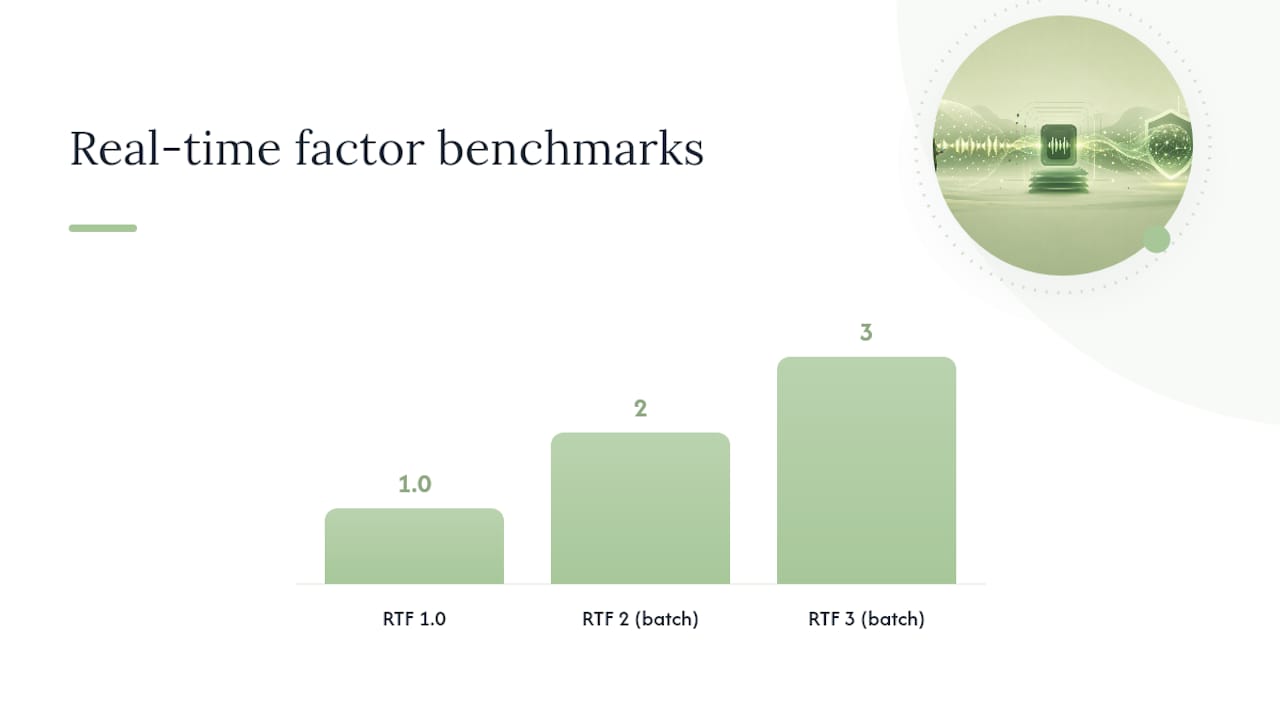
Hardware is the main lever here. GPUs cut processing time dramatically over CPU-only setups for self-hosted models, while Apple devices running on-device apps rely on their neural processing hardware rather than a discrete GPU. Memory is usually the first bottleneck on both paths.
Before trusting any offline setup for real work, run it through a short battery of stress tests:
- Clean, single-speaker batch audio (your baseline)
- Noisy audio with background chatter
- Multi-speaker conversation with overlapping turns
- Silence and VAD edge cases (long pauses, false starts)
- Live microphone input, checking for lag
- Concurrent jobs, if you'll ever run more than one transcription at once
- A full offline restart, network disabled, to confirm nothing quietly depends on a connection
That seventh test matters more than people assume. It's the only way to catch a tool that claims to be offline but still phones home for a model update or a licensing check.
How Do You Verify a Transcription Tool Is Actually Offline?
Claims of "offline" and "private" are easy to make and hard to verify without checking yourself. Toggle airplane mode, or physically disconnect the network cable, then run a complete transcription job start to finish.
Pro Tip: Watch for a silent failure. If the app refuses to work at all without a network connection, that's often a sign it depends on the cloud more than it advertises.
Run through this short audit whenever you're evaluating a new tool:
- Disconnect all networking and confirm the full pipeline, recording, transcription, and export, completes without error.
- Check the app's settings for any optional cloud sync, backup, or "enhanced accuracy" toggle, and confirm what data it would send if enabled.
- On Apple devices, review the app's requested permissions and, where possible, monitor outbound network requests during a test run.
- Keep a short log of test dates and results so you have a record to point to if privacy claims are ever questioned.
What I'd Actually Recommend for Most Privacy-Minded Professionals
Start with an on-device app or a lightweight self-hosted model, then test it against your own real audio before trusting it with anything sensitive. Benchmarks are useful for narrowing the field, but controlled tests across providers still show meaningful WER spread between roughly a range of word error rates seen in benchmarks, with top providers achieving lower error rates and others higher, and your recording conditions will move that number more than the benchmark ever will.
One honest caveat: for legal, medical, or otherwise high-stakes transcripts, human review still belongs in the workflow no matter how good the offline model is. Readers who want a managed, privacy-first starting point can look at what Obsidian Ridge Labs builds for exactly this use case.
— Alex
Echo Chamber Handles the Setup So Your Audio Never Has To Leave the Device
Every architecture discussed above asks something of you: self-hosting demands maintenance, air-gapping demands hardware discipline, and even a good on-device app is only as private as its optional connections are transparent. Echo Chamber transcribes entirely on-device, stores transcripts locally, and discloses any optional connection instead of burying it in a settings menu. There's no server round-trip to wait on and no cloud account to secure.
It is designed for users who want accurate, private transcripts without configuring a self-hosted stack or auditing network calls themselves. If you want to see how it stacks up against other private transcription tools first, the comparison of offline transcription apps breaks down the tradeoffs in detail. When you're ready to try a setup that keeps your recordings on your device from the first second, visit Obsidian Ridge Labs to get started.
Sources
The eight-provider accuracy benchmark backs the WER and diarization figures cited above. Amazon's custom vocabulary documentation supports the keyterm guidance. For a technical companion on model performance, see AmmarAI's speech-to-text overview.
- Transcription accuracy tests across eight providers
- Improving transcription accuracy with custom vocabularies and language models (Amazon Transcribe docs)
- Offline vs Cloud Transcription: Privacy, Accuracy, Cost
- How to Improve Transcription Accuracy: The Full Pipeline
FAQ
Is Offline Transcription as Accurate as Cloud Transcription?
It depends more on recording quality and model size than on whether processing happens locally, though cloud services often support larger models that can edge out accuracy on difficult audio, per comparative analysis of offline versus cloud transcription.
What File Format Gives the Best Offline Transcription Accuracy?
WAV or FLAC preserves the most detail for transcription masters; if you must compress, keep MP3 at a moderate to high bitrate, generally recommended at or above a certain threshold to avoid losing frequency detail the model needs.
How Many Keyterms Should I Add for Domain-Specific Audio?
Stick to 20 to 50 focused, high-impact terms. Longer, indiscriminate lists tend to cause the model to hallucinate terms that aren't actually present.
Can I Trust an App That Claims to Work Offline?
Only after testing it yourself: disconnect the network entirely, run a full transcription job, and check the app's settings for any optional sync or cloud toggle before trusting the claim.
Do I Still Need Human Review for Offline Transcripts?
Yes, for legal, medical, or otherwise high-stakes recordings. Layered workflows that pair a strong offline setup with human review consistently reach the highest overall accuracy.