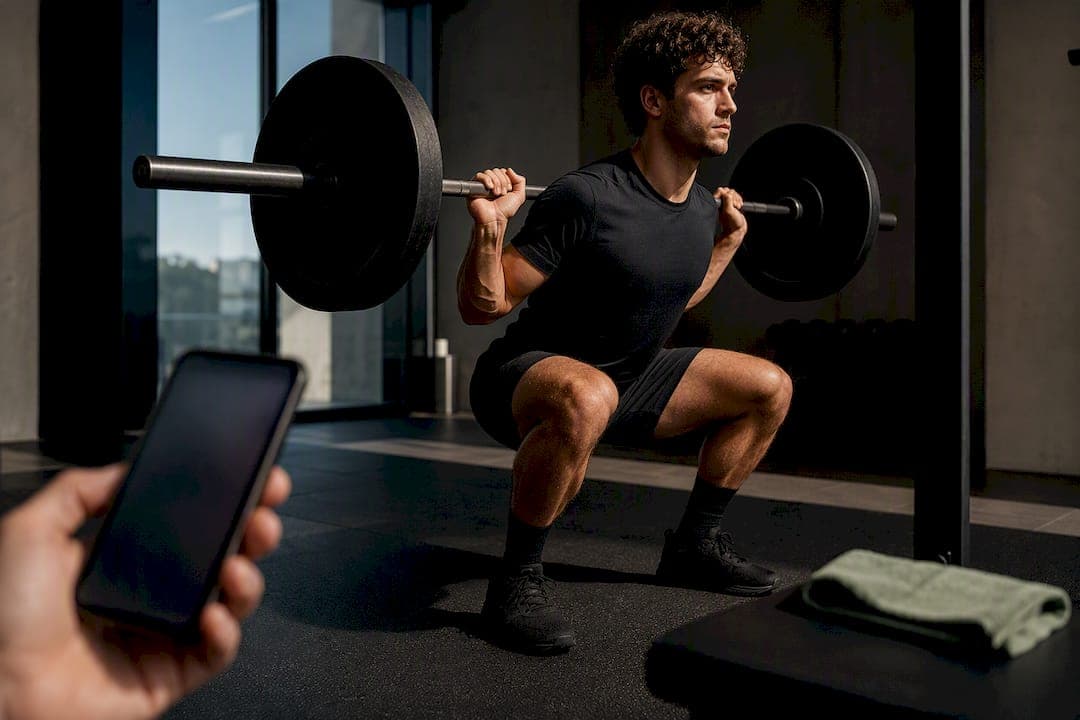
Strength coach privacy means your training data and coaching interactions never leave your device. Properly implemented on-device AI achieves this, and Apple's platform features make the guarantee verifiable, not just marketed. One strength coach app, Mettle, is built around this model, processing workouts, reps, and progress locally rather than routing them through a company's servers.
TL;DR:
- On-device inference uses the Neural Engine to process workout data without transmitting it, with cloud fallback only for exceptional, heavy tasks.
- Motion, biometric, and location data can reveal sensitive health conditions, routines, or personal whereabouts if combined with timestamps or metadata.
- Verifying privacy claims involves checking the app's permissions, privacy labels, and support documentation, not just trusting marketing promises.
- Strict privacy models may limit personalization and require more effort to synchronize data across multiple devices without cloud reliance.
- Using sensors that communicate directly with your phone and reviewing permissions helps prevent data leaks through vendor cloud services.
Table of Contents
- What Does On-Device Processing Actually Mean for Strength Coach Privacy?
- Which Training Data Types Actually Raise Privacy Risks?
- How Do You Verify an App Actually Keeps Your Data Local?
- What Do You Give Up With Strict On-Device Coaching?
- How Do You Pair Wearables Without Leaking Data to the Cloud?
- Why Privacy-First Coaching Isn't Just a Feature, It's an Architecture
- Try Mettle: On-Device Strength Coaching Built Around Your Privacy
- Sources
What Does On-Device Processing Actually Mean for Strength Coach Privacy?
On-device processing means the math happens on your iPhone or iPad, not on a remote server. A strength-coach app that runs inference locally uses Apple's Core ML framework and the Neural Engine, the dedicated silicon block in every modern Apple chip built for machine learning workloads. When you log a set, the model that evaluates your form, adjusts your next load, or flags a plateau runs directly on that chip. Nothing about the rep count, the weight, or your notes needs to travel anywhere.
Apple's own privacy documentation confirms the priority order here: on-device inference first, with cloud compute reserved for tasks too large for a phone to handle. When a task does require more horsepower, Apple can fall back to Private Cloud Compute, a system that Apple says processes a request only to fulfill it and does not retain or expose that data to Apple staff. That fallback is the exception, not the default, for a well-built coaching app.
Academic work on edge computing backs the practical case for this approach. A 2026 framework for edge-enabled fitness recommendations found that keeping computation near the data source cuts both attack surface and latency while still delivering personalized results.
A newer technique pushes privacy further still: zero-knowledge proofs. Researchers embedded a decision tree classifier inside a zero-knowledge proof system that verified a workout goal was met with high accuracy on the MHEALTH dataset, without exposing the raw sensor stream at all. That means an app could theoretically prove "you hit your rep target" to a coach or a leaderboard without ever transmitting the underlying accelerometer data.
- Model inference runs on the Neural Engine, not a remote GPU cluster.
- Retained data (reps, weights, notes) stays in local storage by default.
- Private Cloud Compute activates only for specific, heavier requests, and doesn't retain what it processes.
- Zero-knowledge methods can verify outcomes without ever sharing raw movement data.
Which Training Data Types Actually Raise Privacy Risks?
Not all fitness data carries the same risk. Some readings are harmless in isolation and dangerous only when combined with everything else an app collects.
Motion data. Accelerometer and gyroscope streams from your phone or watch feed the models that judge your squat depth or bar path. On their own, these readings are abstract numbers. Combined with timestamps and inferred exercise labels, they build a fingerprint of your daily routine and physical capability.
Biometric signals. Heart rate, heart rate variability, and recovery scores are health data by any reasonable definition. A survey of wearable trackers flags this category as one of the most sensitive because it can reveal medical conditions the user never disclosed.
Location and metadata. GPS pings from an outdoor run or even Wi-Fi network identifiers tied to a home gym session can let a third party infer where you live and when you're away.
Derived behavioral profiles. This is the least visible risk. An app doesn't need your raw data to profile you, it just needs the patterns it extracts from that data, and those patterns are exactly what get sold or shared.
- Motion streams: rep-quality inference reveals fitness level and injury history.
- Biometric readings: heart rate data can indicate underlying health conditions.
- Location metadata: routine tracking can expose home address and daily schedule.
- Behavioral profiles: aggregated patterns are valuable to advertisers even without raw data.
A Surfshark analysis of 16 fitness apps found that many fitness apps share user data with third parties, and the average app collects a broad range of distinct data types, often more than the app needed to function.
How Do You Verify an App Actually Keeps Your Data Local?
Marketing copy says "private." Settings menus and technical documents either back that up or expose the gap. Here's how to check.
- Read the App Store privacy label before installing. It's a first screen, not proof, but it tells you what categories of data the developer discloses collecting.
- Check requested permissions on first launch. A strength coach that asks for your contacts or precise location with no stated training purpose is a warning sign.
- Open Settings → Privacy & Security → Apple Intelligence Report. This log shows you when requests were sent to Private Cloud Compute and gives you a factual answer, not a promise, about what left your device.
- Read the app's privacy documentation directly. Look for an explicit statement that core coaching features run on-device, plus a clear explanation of any optional cloud features and what triggers them.
- Ask support for documentation. A developer confident in its architecture will explain its on-device design without hedging.
Pro Tip: Deleting an app from your phone doesn't guarantee your data disappears from a company's servers. Consumer Reports notes that many services retain user data indefinitely unless you separately request deletion, another reason local-only storage matters more than it sounds.
What Do You Give Up With Strict On-Device Coaching?
On-device privacy isn't free. A model small enough to run smoothly on an iPhone is smaller than what a data center can train and serve, which can mean less nuanced personalization over time. Syncing your training history across an iPhone, iPad, and Mac without a cloud account also takes more deliberate engineering than simply uploading everything to a shared server.
Some genuinely complex features, like analyzing months of video for form drift, may need more compute than a phone provides. When that happens, the right design keeps cloud processing optional and explicit rather than default and silent.
- Smaller on-device models trade some personalization depth for stronger privacy guarantees.
- Cross-device sync requires more engineering without a central cloud account.
- Periodic local model updates can improve accuracy without ever centralizing your raw data.
- Opt-in cloud features, clearly labeled, let you choose the trade-off case by case.
How Do You Pair Wearables Without Leaking Data to the Cloud?
A strength coach app is only as private as the sensors feeding it. If your watch or heart rate strap syncs through a vendor's own cloud before reaching your coaching app, your on-device privacy guarantee has a hole in it.
Apple's HealthKit gives you a controlled conduit: data flows from watch to phone to app under permissions you can review and revoke at any time, rather than through a third-party server you can't audit. Favor sensors and apps that sync device-to-phone directly and skip a vendor cloud bridge entirely where the hardware allows it.
- Choose device-to-phone sync over vendor cloud bridges when a sensor supports both.
- Review Health app permissions periodically, not just at setup.
- Prefer export-only workflows over continuous background cloud syncs.
- If a sensor forces cloud use, disable auto-upload and limit shared metadata.
Biometric hardware varies here. A band like Voltra that emphasizes direct device communication is worth evaluating against options that push everything through a companion cloud service by default.
Pro Tip: Before buying a new sensor, check its companion app's Health permissions request. If it asks for background location alongside heart rate, that's unrelated to strength training and worth questioning.
Why Privacy-First Coaching Isn't Just a Feature, It's an Architecture
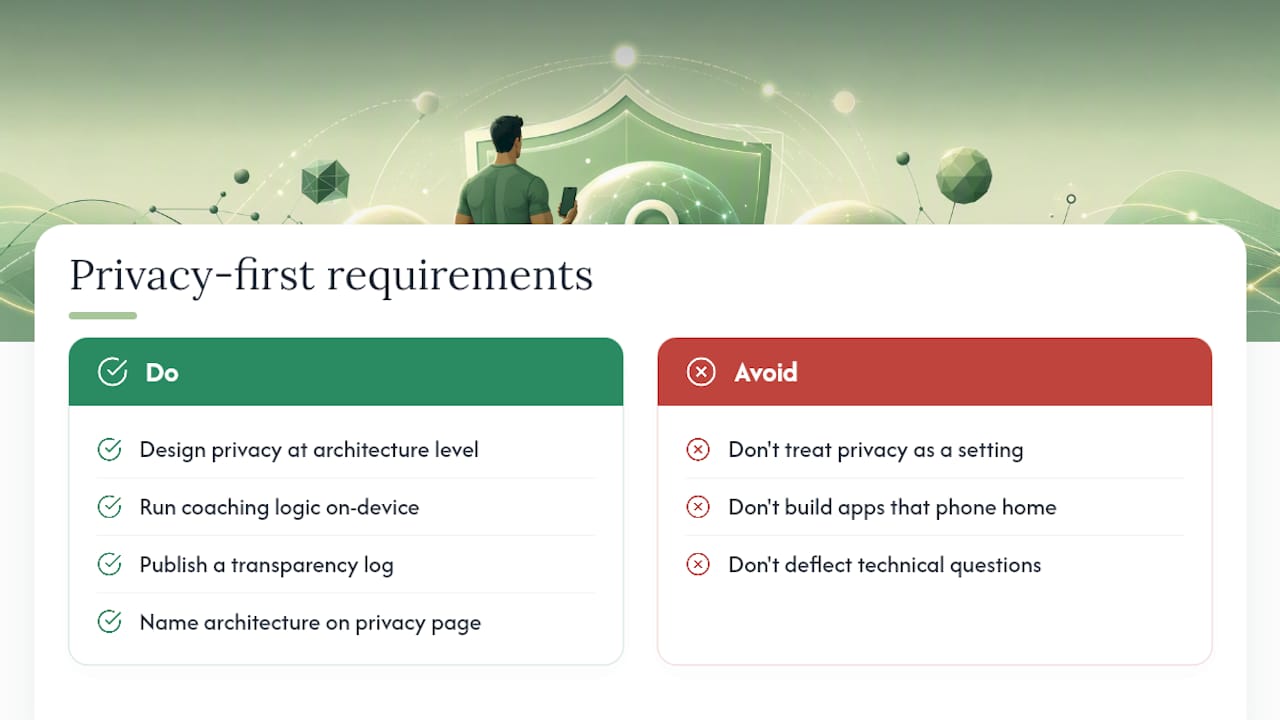
Most fitness apps treat privacy as a settings toggle you configure after the fact. That's backwards. Privacy has to be a decision made at the architecture level, before a single line of the coaching model gets written, because you can't retrofit "on-device" onto an app built to phone home.
That's the premise behind Obsidian Ridge Labs' work generally, and Mettle specifically. Mettle's coaching logic runs locally, so your rep history, load progression, and notes stay put unless you explicitly choose otherwise. What readers should demand from any app claiming this isn't a slogan, it's documentation: a transparency log you can check, a privacy page that names its architecture plainly, and support staff who can answer technical questions without deflecting.
— Alex
Try Mettle: On-Device Strength Coaching Built Around Your Privacy
Mettle is built around the architecture this article describes: local inference on your iPhone, with any optional cloud feature disclosed rather than buried. That's the practical difference between reading a privacy policy and verifying one for yourself.

You can check Mettle's approach the same way this guide recommends checking any coaching app, through its App Store privacy label and its published documentation on verifying on-device claims. For a broader look at where Mettle's privacy design stands against other strength apps, the comparison against Fitbod, Alpha Progression, Boostcamp, and Hevy breaks down the architectural differences in detail. Mettle is available on the App Store as a straightforward download, with no forced account creation before logging a set.
Sources
The technical claims in this guide draw on Apple's own documentation for on-device processing and Private Cloud Compute, which describes how requests are processed without being made accessible to Apple. The zero-knowledge verification technique referenced comes from a 2026 paper on private fitness tracking that achieved 97.19% accuracy while keeping raw sensor data unexposed. The edge computing case for on-device fitness recommendations is detailed in a Springer-published framework, and the data-sharing risks across mainstream fitness apps come from TechRadar's analysis of 16 popular apps. For the retention question behind app deletion, see Consumer Reports' analysis of exercise machine privacy.
- Privacy - Features - Apple
- Private fitness tracking with zero-knowledge machine learning
- Edge-enabled personalized fitness recommendation framework (2026)
- Fitbit, Strava and Nike Training Club are the most data-hungry fitness apps according to a new report
- Exercise machine privacy (Consumer Reports)