
Offline-first apps meaning, in the context that matters most to privacy-conscious Apple owners, refers to on-device AI applications that run their core processing directly on an iPhone, iPad, or Mac so sensitive inputs never have to leave the hardware. This is the definition Obsidianridgelabs builds around: local inference, local storage, and no mandatory trip to a server.
A few clarifiers matter before going further:
- The Apple Neural Engine handles the actual computation, not a remote data center.
- Raw voice recordings, journal entries, and financial data stay on the device by default.
- Anything that does leave, like optional analytics or encrypted backups, requires explicit opt-in rather than silent transmission.
This framing lines up with how regulators think about data minimization: the fewer copies of sensitive data that exist, the fewer things there are to secure or leak.
Key Takeaways
Offline-first apps, in the sense that matters for privacy-conscious Apple users, are on-device AI tools that keep processing and sensitive inputs local by architecture rather than by policy.
| Point | Details |
|---|---|
| Core definition | Offline-first apps meaning here: AI processing runs on the device's Neural Engine, not a remote server. |
| Privacy is architectural | Data that never leaves the device can't be logged, breached, or repurposed elsewhere. |
| Pure vs. hybrid matters | Demand pure on-device for finance, journaling, and health data; hybrid is fine for low-stakes tasks. |
| Verify, don't assume | Test airplane mode, check permissions, and look for a no-analytics toggle before trusting an app. |
| Obsidianridgelabs's approach | Builds transcription, finance, and journaling apps around local Neural Engine processing with opt-in-only cloud connections. |
Table of Contents
- What Does Offline-First Actually Mean on Apple Devices?
- How Does On-Device AI Run on iPhone, iPad, and Mac?
- What Are the Benefits of Offline-First Apps?
- Pure On-Device vs. Hybrid: What's the Real Privacy Difference?
- What Are the Trade-Offs and Limits of On-Device AI?
- How Do You Verify an App Is Actually Running AI Locally?
- Which AI Tasks Are Best Kept Fully Local?
- How Did Offline-First App Design Evolve?
- How Does This Compare to Traditional Cloud-Dependent Apps?
- What Technical Challenges Come with Offline-First Architecture?
- What Are Some Real Examples of Offline-First Apps on Apple Devices?
- What's Next for On-Device AI and Offline-First Design?
- What Security Considerations Go Beyond Privacy Alone?
- Why We Build Private On-Device AI
- Get Private On-Device AI Tools Today
- Sources
What Does Offline-First Actually Mean on Apple Devices?
The term gets used loosely across the industry, so it's worth being precise about what it means here. An offline-first application, in the on-device AI sense, is software that performs its primary AI tasks (transcription, categorization, financial parsing, journaling analysis) using the device's own processor and memory, without a required network call to complete the task.
On-device AI apps perform core AI processing directly on the device's local hardware, which means the model itself lives on the phone or Mac rather than on a vendor's servers. That distinction, model on the device versus model in the cloud, is the entire ballgame. It determines whether your voice memo about a medical symptom or your monthly budget breakdown ever crosses a network boundary at all.
This is a different concept from the software-architecture pattern some developers call "offline-first," where an app syncs data once connectivity returns. Here, offline-first describes where the intelligence itself runs, not just where the data eventually lands. For Apple users evaluating AI tools, that difference changes what questions you should ask before you trust an app with anything personal.
How Does On-Device AI Run on iPhone, iPad, and Mac?
Local inference depends on the Neural Engine, the dedicated AI hardware Apple has shipped in its chips for years. It handles the matrix math that machine learning models need, separate from the CPU and GPU, and it does this without sending a single token to a server.
Getting a capable model to actually fit on a phone requires serious compression work. Developers use quantization to shrink numerical precision, and increasingly rely on adapter layers rather than full separate models for each task. Apple's own research describes smaller base models paired with adapter layers that get swapped in and out of memory as needed, which keeps the memory footprint low while still supporting varied features like summarization or tone adjustment.
The pace of compression is accelerating industry-wide. Reporting on model-compression efforts describes techniques that shrink models from tens of gigabytes down to just a few, allowing larger, more capable models to run on recent iPhones rather than being confined to giant server racks.
Pro Tip: If you're comparing apps, check whether the developer mentions Core ML or on-device model formats in their technical documentation. Vague marketing about "AI-powered" features with no mention of local runtime is a signal worth investigating further.
The stack worth understanding, at a glance:
- The on-device model runtime (often Core ML on Apple platforms)
- The Neural Engine handling inference workloads
- The Secure Enclave managing encryption keys separately from the main processor
- Local model storage, updated periodically without exposing user data during the update
What Are the Benefits of Offline-First Apps?
The core benefit is architectural, not promotional: on-device processing removes the need for a privacy policy to be trusted, because the data physically has nowhere else to go. This shifts privacy from a policy promise to an architectural guarantee, which is a meaningfully different kind of assurance than "we won't look at your data."
The practical upsides stack up quickly:
- No data transit. Nothing about your finances, journal entries, or voice recordings has to survive a network trip.
- Full offline availability. Transcription and journaling tools built this way work in airplane mode, on a plane, or in a signal dead zone.
- Lower latency. Local inference on modern Neural Engines routinely completes small tasks in well under a second, since there's no round trip to a server.
- Reduced bandwidth and cloud costs. Neither you nor the developer pays for constant data transfer.
Latency, in plain terms: small on-device inference tasks, like transcribing a short voice note or categorizing an expense, typically complete fast enough to feel instant, since the entire computation happens on local silicon rather than over a network connection.
Hybrid approaches still earn their place for genuinely heavy workloads, like analyzing years of financial history at once, where cloud compute offers scale a phone can't match. The key is keeping sensitive individual inputs local even when a larger aggregate task gets offloaded.
Pure On-Device vs. Hybrid: What's the Real Privacy Difference?
Only a pure on-device design gives you full architectural privacy. The moment an app introduces a cloud component, even a well-intentioned one, it opens a new pathway for data to travel, get logged, or get retained somewhere you can't inspect.
Developer guidance on local versus cloud trade-offs frames this plainly: local models protect privacy and cut latency, while cloud models offer more raw compute and larger context windows for handling bigger tasks. Both are legitimate engineering choices, but they carry very different privacy implications for the person using the app.
Here's how the two typically compare:
- Pure on-device: No data leaves the phone for core processing. Best for journaling, finance parsing, and personal coaching where the content is inherently sensitive.
- Hybrid: Some processing happens locally, but certain tasks route to a server. This is common when developers want cheaper on-device compute for simple tasks while reserving cloud power for anything complex.
- Developer motivation for hybrid: Cloud fallback is often simpler to build and cheaper to maintain than optimizing every feature for constrained mobile hardware.
A reasonable rule of thumb: demand pure on-device for anything involving raw financial data, health information, or private journaling. Hybrid becomes more acceptable for lower-stakes tasks, like general knowledge lookups, where nothing personal is actually transmitted.
What Are the Trade-Offs and Limits of On-Device AI?
On-device AI trades some raw capability for privacy and speed, and that trade needs to be stated honestly rather than glossed over. Local models generally can't match the size or context window of the largest cloud-hosted systems, and Apple hardware fragmentation means older devices will hit walls newer ones don't.
The practical constraints to expect:
- Storage and RAM ceilings. Larger, more capable local models need more device memory, which limits what older iPhones and iPads can run well.
- Battery and thermal load. Sustained on-device inference draws more power than a quick network request, though modern Neural Engines are efficient at short bursts.
- Limited context windows. Local large language models generally can't hold as much conversation or document history in memory as their cloud counterparts.
- Update cadence. Model improvements roll out with app updates rather than continuously, so on-device models can lag slightly behind the latest cloud versions.
| Factor | Pure on-device | Hybrid (local plus cloud) |
|---|---|---|
| Data leaves device for core tasks | No | Sometimes, depending on task |
| Works in airplane mode | Yes, fully | Partially |
| Handles very large context tasks | Limited by device memory | Better, using cloud compute |
| Update flexibility | Tied to app updates | Can improve server-side anytime |
For acceptable performance today, look for apps that specify a reasonably recent iOS or iPadOS version and a device with enough Neural Engine headroom, typically anything from the last three to four hardware generations.
How Do You Verify an App Is Actually Running AI Locally?
A short, repeatable checklist settles most doubts about whether an app's on-device claims hold up. Here's the process:
- Check the permissions screen during setup. An app that never requests background network access for its AI features is a good early sign.
- Test it in airplane mode. If transcription, journaling analysis, or finance categorization still works with no connection, the processing is genuinely local.
- Read the privacy documentation closely. Legitimate on-device apps typically explain how model updates get delivered and whether any optional data leaves the device.
- Look for an explicit offline-only or no-analytics toggle. This matters because telemetry can leak metadata about your usage even when the AI model itself runs locally.
- Ask the developer directly about backup handling. Where do encrypted backups go, and is any part of that process routed through third-party servers?
Pro Tip: iOS includes a built-in App Privacy Report (Settings > Privacy & Security > App Privacy Report) that shows exactly which network domains an app has contacted in the past week. Run it after a few days of normal use. An app claiming full on-device processing shouldn't show unexplained outbound connections tied to your content.
Obsidianridgelabs walks through this exact process in more depth in its privacy verification guide, which covers how to interpret network logs for non-technical users step by step.
Which AI Tasks Are Best Kept Fully Local?
Some categories of AI assistance are sensitive enough that pure on-device processing should be non-negotiable. Voice journaling, personal finance parsing, private coaching conversations, and sensitive note transcription all fall into that bucket, since the content itself reveals intimate details about your life. On-device tools are well suited to summarization, drafting, and classification tasks exactly because those functions don't require external context to work well.
A few practices worth adopting:
- Do keep raw voice recordings and financial statements local, and enable device-level encryption for backups.
- Do set a strong passcode or biometric lock, since local storage is only as secure as the device itself.
- Don't enable automatic cloud sync for sensitive app categories without reading exactly what gets synced.
- Don't assume "private" marketing language means on-device. Verify with the checklist above.
In practice, this looks like: a journaling app that transcribes your spoken entry entirely on-device, a finance tool that categorizes transactions without uploading your bank statement anywhere, and a transcription app that turns a meeting recording into text without ever touching a server.
How Did Offline-First App Design Evolve?
Offline capability in mobile software isn't new, but its meaning has shifted dramatically. Early mobile apps cached data locally mostly out of necessity, since cellular networks in the 2000s and early 2010s were slow and unreliable. Offline mode back then meant "don't crash when the connection drops," not "run intelligent processing without one."
The shift toward genuine on-device intelligence tracks closely with hardware evolution. Apple introduced its first Neural Engine in the A11 Bionic chip in 2017, initially for tasks like Face ID and camera processing. Over successive chip generations, that silicon grew powerful enough to handle increasingly sophisticated machine learning workloads, not just narrow computer vision tasks.
The real inflection point came as compression techniques matured. Running a capable language model locally used to require server-grade hardware. Advances in quantization and adapter-based architectures changed that math, letting smaller base models with swappable adapter layers deliver features that once demanded a data center.
What's notable is how the motivation changed too. Early offline features existed to patch around bad connectivity. Today's offline-first AI apps exist because developers and users actively prefer keeping sensitive processing local, even when a fast connection is available. Privacy became the driver rather than a workaround for spotty networks, and that reframing is what separates the modern on-device AI movement from older "offline mode" features bolted onto otherwise cloud-dependent apps.
How Does This Compare to Traditional Cloud-Dependent Apps?
Cloud-dependent AI apps send your input, a voice clip, a typed note, a photo, to a remote server, where a much larger model processes it and sends a result back. This model dominates the current AI app landscape because it's easier to build and lets developers use massive, frequently updated models without worrying about device constraints.
The trade-off is a fundamentally different privacy posture. Every cloud request creates a data point that exists somewhere outside your control, even briefly. That data might get logged for debugging, used to improve the model, or retained under a policy you'd need to read carefully to understand. None of that is necessarily malicious, but it is a structural difference from on-device processing, where the question of "what does the vendor do with my data" simply doesn't apply to the core function.
Performance characteristics diverge too. Cloud apps depend entirely on network quality. A weak signal on a subway platform or a hotel Wi-Fi outage can make a cloud-based transcription app useless exactly when you need it. On-device apps don't have that failure mode, since the Neural Engine doesn't care whether you have bars.
Cloud does retain real advantages. It handles massive context windows better, can pool compute across huge models that would never fit on a phone, and updates instantly without waiting for an app store review cycle. For tasks like analyzing years of aggregated data or running enormous models, that scale matters. But for the personal, sensitive, everyday tasks like journaling, finance tracking, and voice transcription, the case for keeping processing local is considerably stronger than the case for defaulting to the cloud.
What Technical Challenges Come with Offline-First Architecture?
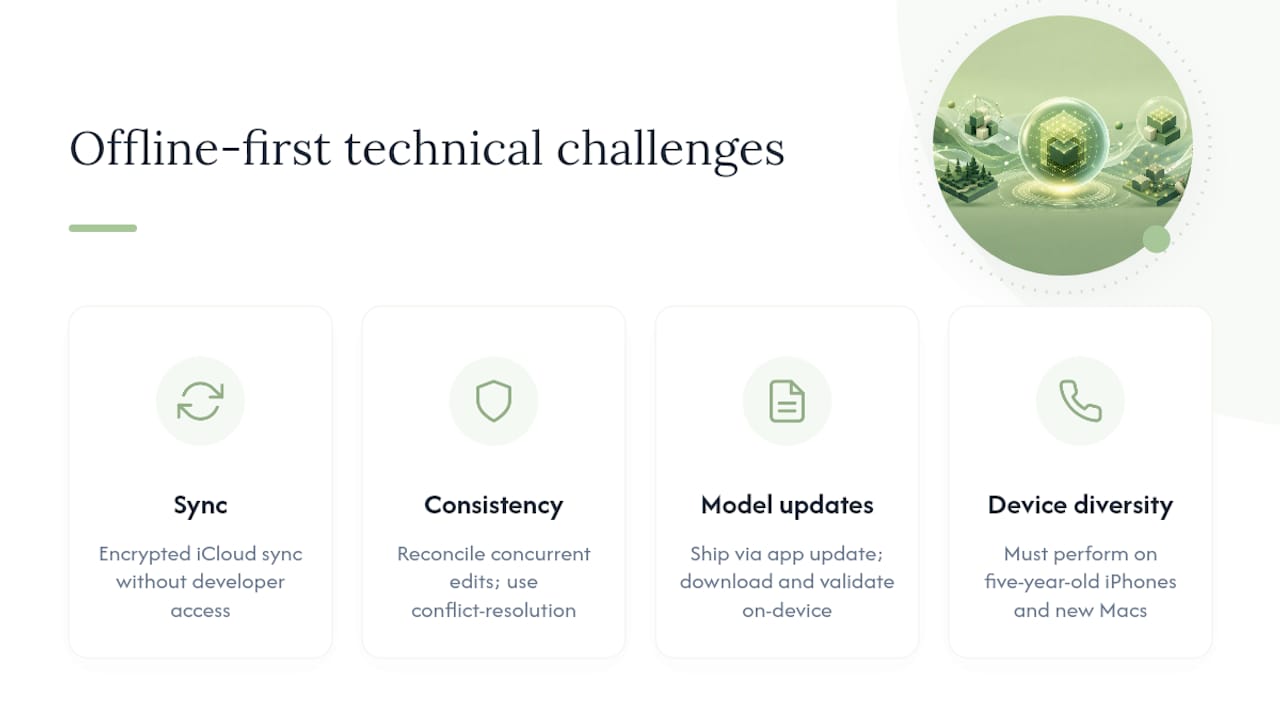
Building genuinely offline-first AI is harder than it looks from the outside, and the difficulty isn't really about the AI model itself. It's about everything wrapped around it.
Synchronization is the first major hurdle. Even a fully on-device app often needs to sync some data across a user's iPhone, iPad, and Mac, ideally without routing raw content through a third-party server. Apple's own iCloud sync framework, when used correctly, can move encrypted data between a user's own devices without the developer ever seeing the underlying content, but implementing that correctly takes real engineering discipline.
Data consistency creates a related problem. If a user edits a journal entry on their iPhone and then opens the same entry on their Mac before the sync completes, the app needs a reliable way to reconcile those two states without silently discarding a change. Cloud-first apps solve this by making the server the single source of truth. Offline-first apps have to build that reconciliation logic themselves, often using conflict-resolution strategies borrowed from distributed systems design.
Model updates add another layer of complexity. A cloud-hosted model can be improved server-side instantly. An on-device model has to ship as part of an app update, get downloaded, and get validated on-device before it replaces the previous version, all without disrupting a user who might be relying on the app in the meantime.
Finally, there's the sheer diversity of Apple hardware in active use. An app has to perform acceptably on a five-year-old iPhone and a brand-new Mac alike, which means testing across a wider matrix of devices than a purely server-side app would ever need to worry about.
What Are Some Real Examples of Offline-First Apps on Apple Devices?
Apple's own platform tools set an early standard for on-device intelligence. On-device dictation, Live Text, and on-device Siri request processing for many common tasks all demonstrate that meaningful AI features can run without a network call, using the Neural Engine built into every recent iPhone and Mac.
Third-party developers have followed that model for specific, privacy-sensitive categories. Obsidianridgelabs builds its suite, spanning transcription, finance management, and journaling, around this exact principle: core processing happens locally rather than routing through a server by default. A comparison of private journaling apps shows how different developers approach the same problem, some fully local, others hybrid, with real differences in what data actually stays on the device.
Transcription is one of the clearest categories where the distinction shows up in daily use. A cloud-based transcription tool uploads your recording to a server and returns text minutes later. An on-device transcription app processes the same recording using the Neural Engine and can return results almost as fast, without the recording ever leaving your phone. For anyone recording sensitive meetings, therapy sessions, or personal voice memos, that difference isn't abstract.

Finance apps illustrate the same split. Parsing a bank statement or categorizing transactions locally means your financial history never gets uploaded anywhere, compared to cloud-based budgeting tools that require account linking through third-party financial data aggregators. The functional result can look similar on the surface. The data path underneath is completely different.
What's Next for On-Device AI and Offline-First Design?
Model compression keeps improving faster than most people expect. The trajectory described in recent compression research, shrinking models from tens of gigabytes down to a handful, suggests that the gap between what a phone can run and what a data center can run will keep narrowing rather than widening.
Hybrid design is likely to become more thoughtful rather than disappearing. Analysis of the current market notes that hybrid local-first architecture with an audited cloud fallback is becoming the mainstream pattern for developers who want to offer both privacy for sensitive tasks and scale for occasional heavy ones. Expect more apps to be explicit and granular about exactly which features stay local and which don't, rather than treating "on-device" as a blanket marketing claim.
Apple's chip roadmap will keep expanding what's possible locally. Each new Neural Engine generation has increased throughput meaningfully, and that trend supports running larger, more capable adapter-based models without sacrificing battery life. Expect on-device features to handle longer context, more nuanced reasoning, and more personalized coaching or journaling analysis over the next few hardware cycles.
Regulatory pressure is likely to reinforce, not slow, this shift. Data-minimization principles already favor architectures that keep processing local, and as scrutiny of cloud AI data practices increases, on-device design becomes less of a differentiator and more of an expectation for privacy-sensitive categories like health, finance, and personal journaling.
What Security Considerations Go Beyond Privacy Alone?
Privacy and security overlap, but they aren't identical, and on-device AI introduces its own security considerations that have nothing to do with whether data leaves the device. A truly local implementation should have a testable footprint: the app shouldn't request network permissions or maintain telemetry paths that would let raw inputs get exported even if the developer never intended it.
Local storage still needs strong protection. On-device data is only as safe as the device's own encryption, which is why a device passcode, Face ID or Touch ID, and iOS's built-in Secure Enclave for key management all matter as much as the AI architecture itself. A phone with a weak or absent passcode undermines even the most privacy-conscious on-device app.
Metadata leakage is a subtler risk. Even when a model runs entirely locally, background analytics or crash reporting can still transmit information about app usage patterns, timestamps, or feature engagement, without ever touching your actual journal text or financial figures. That's why an explicit offline-only or no-analytics toggle matters: it closes a gap that "on-device processing" alone doesn't fully address.
Update integrity rounds out the picture. Because on-device models ship through regular app updates, users should expect transparency about what changed in each release and confirm updates come through the official App Store rather than a side-loaded source, which keeps the verification chain intact from Apple down to the device.
Why We Build Private On-Device AI
Obsidianridgelabs exists because privacy-conscious Apple users kept running into the same wall: AI features they wanted, transcription, finance tracking, journaling, coaching, all bundled with a mandatory trip through someone else's server. We build around the Neural Engine specifically because it lets us remove that trip entirely rather than promise to handle your data responsibly once it arrives elsewhere.
Any optional connection, like backups or analytics, stays opt-in and documented, never default. Readers can check that claim themselves using the verification steps covered earlier in this article, and we maintain dedicated privacy guides for anyone who wants to go deeper than a single article allows.
Get Private On-Device AI Tools Today
Obsidianridgelabs builds the exact category of app this article describes: transcription, journaling, and finance tools that process everything on your iPhone or Mac, with nothing sent to a server by default.

If transcription is what you need most, Echo Chamber handles it entirely on-device, turning recordings into text using your device's own Neural Engine rather than a cloud pipeline. Every app in the Obsidianridgelabs lineup is available through the Apple App Store, with a mix of one-time purchases and subscription options depending on the tool, so you can pick the model that fits how you'll actually use it. Visit the Obsidianridgelabs landing page to see the full suite and find the app that matches what you're trying to keep private.
Sources
- On-device versus cloud isn’t a performance choice - Fast Company
- Introducing Apple Foundation Models (Apple Machine Learning)
- Apple in talks with PrismML over model compression for iPhone - CNBC
- Cloud AI guidance and trade-offs (Microsoft Learn)