
App Tracking Transparency (ATT) is Apple's framework requiring apps to request explicit permission before linking a user's data with data from other companies for advertising, measurement, or data-broker sharing. If your app touches cross-company data at all, three actions come first.
- Determine whether your app "tracks" under Apple's definition, not your own intuition about it.
- Add an
NSUserTrackingUsageDescriptionstring to Info.plist. - Call
requestTrackingAuthorizationand checktrackingAuthorizationStatusbefore touching IDFA.
Skip any of these and you risk App Store rejection, a zeroed-out IDFA, or an accidental fingerprinting violation that carries no consent exception.
Pro Tip: Treat ATT as a data architecture question before it's a UI question. Map every SDK's outbound data flow first, then write your permission prompt.
Key Takeaways
App Tracking Transparency requires explicit runtime permission before linking user data across companies, and compliance depends on accurate SDK auditing, correct API sequencing, and honest privacy labeling.
| Point | Details |
|---|---|
| Define tracking correctly | ATT applies only when data links across companies; internal analytics often falls outside its scope. |
| Sequence the API calls | Add the Info.plist string, call requestTrackingAuthorization, then check status before using IDFA. |
| Never gate functionality | App Store policy prohibits blocking core features behind a tracking consent decision. |
| Plan for zeroed IDFA | Instrument SKAdNetwork and Private Click Measurement as your primary attribution path. |
| Test all four states | Verify authorized, denied, notDetermined, and restricted behavior on physical devices. |
Table of Contents
- What Counts as Tracking Under App Tracking Transparency?
- How Do You Implement ATT Correctly Before Shipping?
- Why Do Third-Party SDKs Trigger the Fingerprinting Ban?
- What Are Apple's App Store Requirements for Tracking?
- What Happens to IDFA When a User Denies Tracking?
- How Do Users Control and Verify App Tracking?
- How Should You Test and Debug ATT Before Submission?
- What Makes an ATT Prompt Wording Effective?
- What Do Developers Consistently Get Wrong About ATT?
- Frequently Asked Questions
- Sources
What Counts as Tracking Under App Tracking Transparency?
Apple's own definition is narrower than most teams assume: ATT applies when your app links user or device data collected in-app with data collected by other companies, for advertising, measurement, or data-broker sharing. Internal-only analytics, your own crash logs, or personalization built purely from your app's own data can fall outside that trigger entirely.
Ad networks and third-party measurement SDKs almost always require ATT because they combine your users' data with data seen across other apps. A weather app logging local usage patterns for its own dashboard usually does not. The gray zone shows up with aggregated or hashed identifiers passed to a partner. Hashing an email address doesn't exempt you if the receiving party can still match it against data from other apps. Cross-device linking through a shared login system triggers the same obligation if a partner uses that link for advertising purposes elsewhere.
- Requires ATT: ad SDKs, attribution partners, data broker integrations.
- Usually exempt: first-party analytics, on-device personalization, fraud prevention using only your own data.
Pro Tip: Audit every SDK's data destination, not just its stated purpose. A "crash reporting" SDK that also pings an ad exchange still counts as tracking.
How Do You Implement ATT Correctly Before Shipping?
Start with the Info.plist string. Your NSUserTrackingUsageDescription value appears directly in the system prompt, so write it for a person deciding in three seconds, not a legal team. State what tracking enables and what the user gets in return. Avoid vague phrases like "to improve your experience" that say nothing concrete.
- Add
NSUserTrackingUsageDescriptionto Info.plist with a specific, benefit-oriented sentence. - Call
ATTrackingManager.requestTrackingAuthorizationat a moment the user understands why you're asking. - Check
ATTrackingManager.trackingAuthorizationStatusbefore reading IDFA or sending data off-device. - Handle all four states:
authorized,denied,notDetermined, andrestricted. - Re-check status on each app launch since users can revoke permission anytime in Settings.
- Complete your App Store Connect privacy nutrition label alongside the runtime prompt.
Never gate core features behind tracking consent. An app that blocks its main function until a user says "yes" to tracking violates App Store policy and irritates the exact users you're trying to retain.
- Test builds should log every status transition, not just the final result.
- Confirm IDFA reads as all zeros the moment status is anything other than
authorized.
Pro Tip: Write your permission flow so denial degrades gracefully. If ads still load without personalization, denial should never look like a broken app.
Why Do Third-Party SDKs Trigger the Fingerprinting Ban?
An integrated SDK forces your app into ATT scope the moment it links your users' data with data from other companies, even if you never call the tracking API yourself. Vendor code runs inside your app's sandbox, so its behavior becomes your compliance liability.
- Audit every SDK's outbound network calls, not just its documentation.
- Require vendor contracts that explicitly prohibit cross-app linking without consent.
- Confirm no partner attempts fingerprinting: inferring device identity from signals like IP address, font lists, or battery state is prohibited under Apple policy regardless of ATT consent status.
Fingerprinting has no consent exception. Saying "the user agreed" does not make it acceptable.
Pro Tip: Run your app through a network proxy tool during QA to see exactly what your SDKs transmit. Documentation lies more often than packet captures.
What Are Apple's App Store Requirements for Tracking?
App Store policy requires ATT permission for any app that tracks, and this sits separate from your privacy nutrition label, which is a developer-declared summary filled out during submission. Confusing the two is one of the most common rejection causes.
- Never gate core functionality behind an ATT "yes."
- Declare tracking-related data types accurately in App Store Connect, matching actual SDK behavior.
- Submit review builds with prompts intact so reviewers see the real authorization flow.
- Verify your privacy label matches what your SDKs actually collect.
- Confirm the prompt fires under the same conditions reviewers will test.
- Re-check that no feature silently requires tracking consent to function.
What Happens to IDFA When a User Denies Tracking?
IDFA returns a string of zeros the instant trackingAuthorizationStatus reads anything other than authorized. Building attribution logic that assumes a real value in that state produces broken measurement, not degraded measurement.
- Instrument SKAdNetwork for install attribution that works without device-level identifiers.
- Use Private Click Measurement for web-to-app conversion tracking that preserves user anonymity.
- Expect aggregation delays and narrower conversion windows compared to identifier-based tracking. Neither method offers the granularity IDFA once did.
Analytics and growth teams should instrument both paths simultaneously: a consented IDFA path for authorized users and an SKAdNetwork fallback for everyone else. Feature-flag your attribution logic so a denial rate spike doesn't silently break your dashboards.
Pro Tip: Build your measurement dashboard around SKAdNetwork first, treating IDFA as a bonus data source rather than your foundation. Opt-in rates vary widely by app category and can't be assumed.
How Do Users Control and Verify App Tracking?
Users manage permission at Settings > Privacy & Security > Tracking, including a master "Allow Apps to Request to Track" switch that can block every prompt at the OS level before your app ever asks.
App Privacy Report shows which domains an app contacted and how often it accessed sensitive data like the camera, microphone, or location over the past seven days. Privacy-conscious readers can use this directly to audit any app they've installed, including ones from Obsidian Ridge Labs.
- Make your in-app tracking explanation easy to find again after the initial prompt, not buried three menus deep.
- Never assume denial is permanent. Users revisit these settings more than developers expect.
Pro Tip: Add a settings link that deep-links straight to your app's tracking permission in iOS Settings. It's a small UX detail that signals real respect for user choice.
How Should You Test and Debug ATT Before Submission?
- On a physical device, confirm the prompt appears exactly when your trigger condition fires, not before.
- Deny tracking and verify IDFA reads as zeros throughout the session.
- Revoke permission mid-session through Settings and confirm your app adapts without crashing.
- Reset the simulator's tracking authorization state to walk through
notDetermined,authorized, anddeniedpaths end to end.
Simulator testing has real limits. Some SDK behaviors only surface on physical hardware, so treat simulator runs as a first pass, not your final gate.
Common pitfalls include gating a feature on tracking consent, submitting with a stale privacy label, and shipping an SDK that quietly still attempts identifier collection after denial.
Pro Tip: Keep a written testing checklist in your release notes template so every build gets the same four-state verification before submission, not just the one QA remembers to run.
What Makes an ATT Prompt Wording Effective?
Clear, user-centric explanation text tends to increase opt-in rates compared with vague or marketing-heavy phrasing. State the specific benefit the user gets from allowing tracking, and skip generic lines like "to enhance your experience."
Timing matters as much as wording. Showing the prompt at first launch, before a user understands your app's value, tends to produce reflexive denials. Presenting it after a relevant action, like completing an order that triggers personalized recommendations, gives users context for the tradeoff.
- Pair your ATT prompt with clear in-app privacy controls, not just a one-time system dialog.
- Apply GDPR-style consent principles: clear, affirmative, and granular, even where GDPR itself doesn't apply to your app.
- Never bundle tracking consent with unrelated permission requests in one dialog.
Pro Tip: A/B test your usage-description string across two app versions before locking it in. Small wording changes produce measurable opt-in differences.
What Do Developers Consistently Get Wrong About ATT?
Most teams treat ATT as a UI checkbox instead of what it actually is: a data governance problem wearing a permission dialog's clothes. The conventional advice, tighten your prompt wording and hope for a better opt-in rate, misses where the real risk sits. Opt-in rates matter far less than most growth teams believe once you've built attribution that survives a denial anyway.
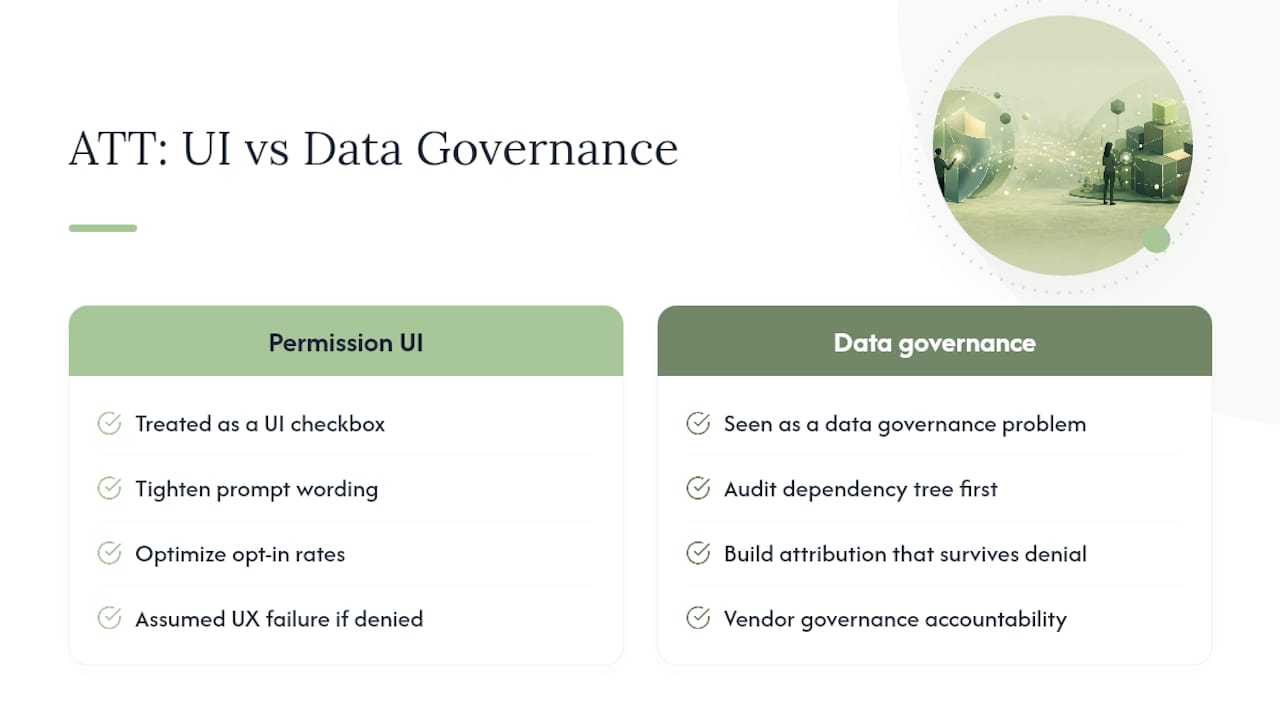
The bigger gap is SDK accountability. Engineering teams write clean permission code, then ship a third-party ad kit that quietly reaches for a fingerprint anyway. That's not a UX failure, it's a vendor governance failure, and no amount of prompt copywriting fixes it. If you prioritize one thing from everything here, audit your dependency tree before you touch your Info.plist string.
The apps that handle this well don't treat privacy as a compliance tax. They design as if every user will deny tracking, because a meaningful share will, and build measurement and monetization that still function when that happens. That's the actual bar, not passing App Store review once.
Frequently Asked Questions
Does App Tracking Transparency apply to first-party analytics? Generally no. ATT targets data linked with other companies for advertising or measurement. Analytics you collect and use only within your own app typically falls outside its scope, though third-party analytics SDKs that share data externally can still trigger it.
What happens if I skip the ATT prompt entirely?
Apps that track without requesting permission risk App Store rejection during review, and any IDFA access without an authorized status returns zeros regardless of whether you asked.
Can I ask for tracking permission more than once? No. Apple's framework presents the system prompt once per app installation. Users change their decision only through Settings afterward, so your first prompt's wording carries outsized weight.
Is fingerprinting ever allowed with user consent? No. Apple prohibits fingerprinting outright, independent of whether a user grants tracking permission. There's no consent path that makes it compliant.
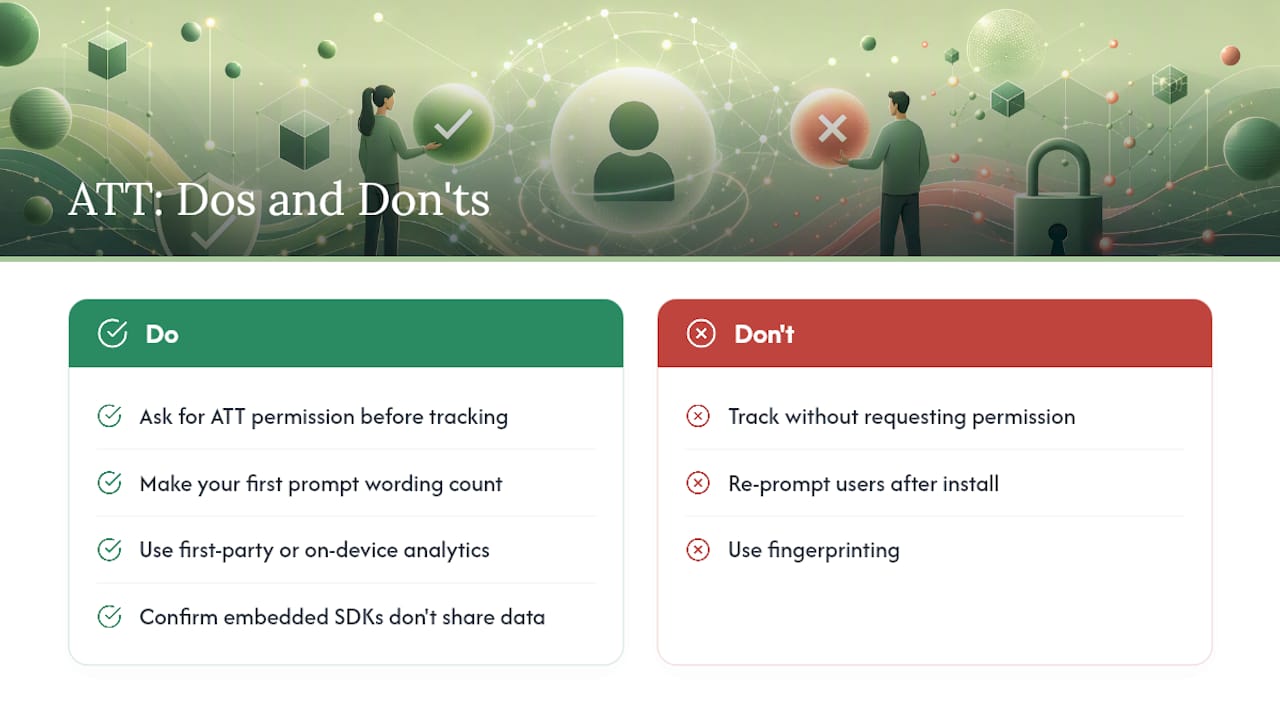
Do privacy-focused apps need to worry about ATT at all? If an app processes data on-device and never links it with outside companies, as with the on-device approach Obsidian Ridge Labs takes across its private AI apps, ATT's tracking trigger typically doesn't apply. Developers should still confirm every embedded SDK behaves the same way before assuming they're exempt.
Sources
- If an app asks to track your activity - Apple Support (US)
- Explore App Tracking Transparency - WWDC22 - Apple Developer