
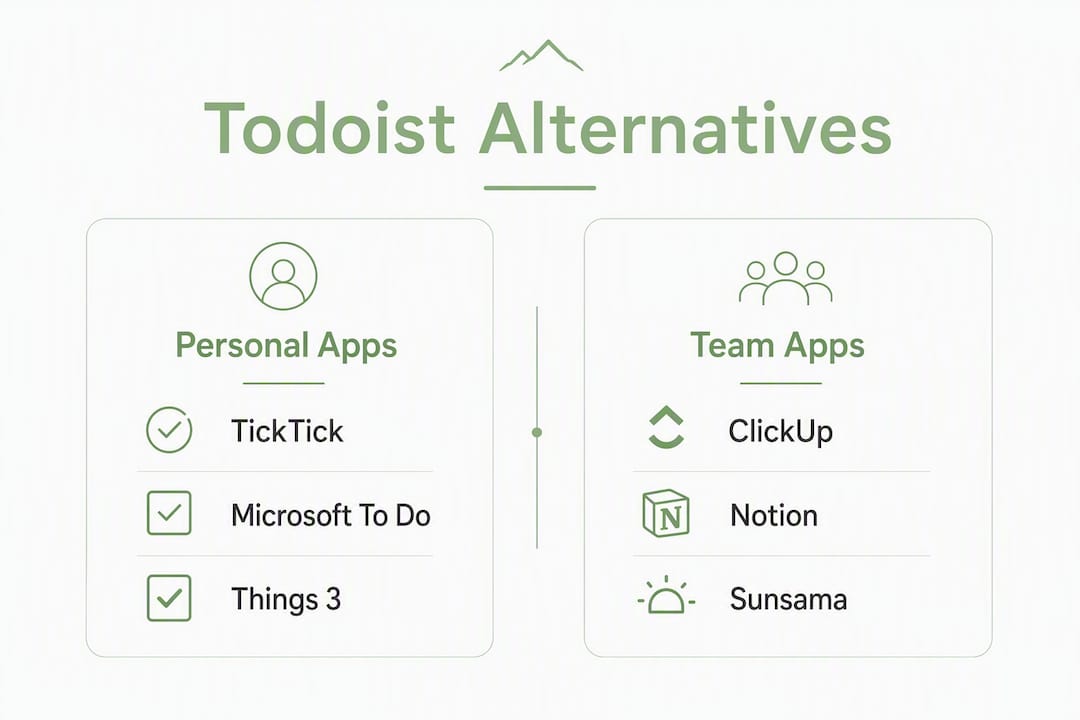
The best Todoist alternatives by use case are: Obsidianridgelabs' private on-device task app for privacy-first Apple users, Motion for calendar-first AI scheduling, Microsoft To Do for a free ecosystem option, Things 3 for Apple-native premium UX, and ClickUp or Notion for teams needing real project infrastructure. Each solves a different pain point, and choosing the wrong category is the most common reason people end up migrating twice.
Here is the shortlist at a glance:
- Privacy-first, on-device (Apple): Obsidianridgelabs' private task app. All processing stays local; no cloud telemetry.
- Calendar-first with AI scheduling: Motion or Akiflow. Both consolidate tasks and calendar into a single daily plan.
- Free ecosystem option: Microsoft To Do. Zero cost, tight Microsoft 365 integration, device-local performance with minimal third-party cloud exposure.
- Apple-native premium: Things 3. One-time purchase, polished UX, no subscription.
- Team/project platforms: ClickUp or Notion. Built for collaboration, timelines, and shared workflows.
The single most important decision is whether you need a personal task manager or a team project platform. Mixing those two categories up wastes weeks of setup time.
Table of Contents
- How do the top Todoist alternatives compare at a glance?
- Detailed profiles: which app actually fits your situation?
- How do you switch from Todoist without losing your data?
- How do you choose the right Todoist alternative for your needs?
- Why do privacy and on-device AI matter when choosing a task app?
- Key Takeaways
- The case for going on-device before you pick a cloud replacement
- Obsidianridgelabs: a private, on-device alternative worth evaluating
- Useful sources and references
How do the top Todoist alternatives compare at a glance?
The table below covers the ten alternatives most frequently evaluated by individuals and teams switching away from Todoist. Pricing reflects publicly listed tiers; verify current figures on each vendor's pricing page before committing.
| App | Best for | Standout feature | Pricing (free / starting paid) | Platforms | Calendar & integrations | Team features | Privacy & data location | AI scheduling | Migration ease |
|---|---|---|---|---|---|---|---|---|---|
| Obsidianridgelabs Task App | Privacy-first Apple users | local processing only | Paid (App Store, one-time or subscription) | iOS, macOS | Apple Calendar (on-device) | Solo-focused | On-device only; no cloud telemetry | On-device AI | Manual import; low cloud exposure |
| TickTick | List + habit + focus users | Pomodoro timer + habit tracking | Free / $3.99/mo | iOS, Android, macOS, Windows, Web | Google Calendar, Outlook | Basic sharing | Cloud (servers vary by region) | Basic suggestions | CSV import available |
| Any.do | Simple daily planning | Daily planner with reminders | Free / — | iOS, Android, macOS, Windows, Web | Google Calendar, Outlook | Shared lists | Cloud | AI-assisted suggestions | Manual re-entry or CSV |
| Microsoft To Do | Free Microsoft 365 users | My Day intelligent suggestions | Free | iOS, Android, macOS, Windows, Web | Outlook, Microsoft 365 | Shared tasks, assignments | Microsoft cloud (US data centers) | Basic smart suggestions | CSV import; manual labels |
| Things 3 | Apple-native premium UX | One-time purchase, no subscription | $9.99–$49.99 (one-time per platform) | iOS, iPadOS, macOS, watchOS | Apple Calendar, Reminders | Solo only | Apple ecosystem; iCloud sync | None | Manual or third-party scripts |
| ClickUp | Teams needing project ops | Highly customizable views | Free / $7/user/mo | iOS, Android, macOS, Windows, Web | Google Calendar, Outlook, 1,000+ | Full project management | Cloud (US/EU data centers) | AI add-on available | CSV/JSON import tool |
| Notion | Flexible docs + tasks | All-in-one workspace | Free / $10/user/mo | iOS, Android, macOS, Windows, Web | Google Calendar, Slack | Collaborative wikis + tasks | Cloud | AI writing/task assist | CSV import; manual rebuild |
| Motion | Automatic daily scheduling | AI auto-schedules tasks into calendar | $19/mo (individual) | iOS, Android, Web | Google Calendar, Outlook | Team scheduling | Cloud | Full AI auto-scheduling | Manual task re-entry |
| Sunsama | Mindful daily planning | Daily ritual + time-box workflow | $20/mo | iOS, Android, Web | Google Calendar, Outlook, Asana | Light team visibility | Cloud | Guided planning (no auto-AI) | Pull from integrations |
| Akiflow | Keyboard-driven power users | Universal inbox + time blocking | $15/mo | macOS, Windows, Web | Google Calendar, Outlook, 10+ tools | Light sharing | Cloud | AI task scheduling | Pull from connected tools |
Fastest switches with least migration friction: Microsoft To Do and TickTick both accept CSV imports directly and have documented import paths from Todoist. You can be operational in under an hour.
Highest privacy tradeoffs: Motion and Sunsama require granting full calendar access and process scheduling data in the cloud. If your tasks include sensitive client information or personal financial notes, that data path deserves scrutiny before you connect those apps.
Detailed profiles: which app actually fits your situation?
Obsidianridgelabs private on-device task app
Obsidianridgelabs builds AI applications exclusively for Apple devices, with all core processing performed locally. The task and focus management app keeps your data on your device, with no cloud telemetry and no third-party data sharing by default. For anyone handling sensitive workflows, that architecture is a meaningful structural difference from every cloud-first option on this list.
Standout features: On-device AI processing, local data storage, optional connections only (no mandatory cloud sync), tight Apple ecosystem integration.
Pricing: Paid via the Apple App Store; one-time purchase or subscription tiers. No free tier.
Platforms: iOS and macOS only.
Pros:
- No cloud data exposure by default
- Works fully offline
- Native Apple performance and responsiveness
- Transparent data path with documented privacy verification
- One-time purchase option avoids subscription lock-in
Cons:
- Apple-only; no Android or Windows support
- No real-time team collaboration features
- Smaller feature surface than enterprise platforms
Migration tip: Because Obsidianridgelabs processes locally, there is no cloud import wizard. Export your Todoist projects as CSV, review which tasks are genuinely active, and manually bring over your priority items. This is also a useful audit: most users discover they are tracking far fewer active projects than they thought.
TickTick: closest like-for-like Todoist replacement
TickTick matches Todoist's natural-language capture speed while adding a built-in Pomodoro timer, habit tracking, and editable calendar views. For users who want a familiar list-first experience with scheduling tools layered on top, it is the most direct swap. Capterra reviewers consistently highlight its cross-platform consistency and the free tier's depth as primary reasons for switching.

Pricing: Free tier available; Premium at $3.99/month.
Platforms: iOS, Android, macOS, Windows, Web.
Pros:
- Fast natural-language task entry
- Built-in Pomodoro and habit tracking
- Calendar view with drag-and-drop scheduling
- Generous free tier
Cons:
- Cloud-based; data stored on third-party servers
- Some advanced features (calendar sync, filters) require Premium
Migration tip: TickTick supports CSV import. Export your Todoist tasks as CSV, map your labels to TickTick's tags, and import. Recurring tasks need manual reconfiguration after import.
Microsoft To Do: best free ecosystem option
Microsoft To Do is the zero-cost option for anyone already in the Microsoft 365 ecosystem. Its "My Day" feature offers intelligent, personalized suggestions for your daily task list, and shared lists keep small teams or households coordinated. Platform-native tools like this rank highly in 2026 reviews as low-friction, privacy-friendly replacements for users who want basic task organization without third-party cloud surveillance.

Pricing: Free.
Platforms: iOS, Android, macOS, Windows, Web.
Pros:
- Completely free
- Deep Outlook and Microsoft 365 integration
- Clean, minimal interface
- Shared task lists for light collaboration
Cons:
- Limited project structure (no subtask nesting beyond two levels)
- No built-in calendar view
- Minimal AI scheduling
Migration tip: Todoist's CSV export maps reasonably well to To Do's import. Labels become lists; priorities carry over. Filters and automations require manual recreation.
Things 3: Apple-native premium task manager
Things 3 by Cultured Code is the benchmark for Apple-native task management design. A one-time purchase covers iPhone ($9.99), iPad ($19.99), and Mac ($49.99) separately, which means no recurring subscription. The interface is deliberately minimal, and the app integrates with Apple Calendar and Reminders without requiring any third-party cloud account.
Pricing: One-time purchase per platform ($9.99 iPhone / $19.99 iPad / $49.99 Mac).
Platforms: iOS, iPadOS, macOS, watchOS.
Pros:
- No subscription; pay once per platform
- Best-in-class Apple UX and design
- Apple Calendar integration
- Fast keyboard shortcuts on Mac
Cons:
- No Android or Windows support
- No native team collaboration
- No built-in AI scheduling
Migration tip: No official Todoist import tool exists for Things 3. Community-built scripts (available on GitHub) can convert Todoist JSON exports to Things 3 format. Test with a single project before running a full migration.
ClickUp: best for teams needing project infrastructure
ClickUp is a full project management platform that handles tasks, docs, timelines, goals, and dashboards in one workspace. It is significantly more complex than Todoist, which is both its strength and its main friction point. Teams that have outgrown personal task managers and need dependencies, Gantt charts, or workload views will find the feature depth justified.
Pricing: Free tier available; paid plans from $7/user/month.
Platforms: iOS, Android, macOS, Windows, Web.
Pros:
- Highly customizable views (list, board, Gantt, calendar)
- 1,000+ integrations including Google Calendar and Outlook
- Built-in docs and goal tracking
- CSV/JSON import from Todoist
Cons:
- Steep learning curve
- Can feel over-engineered for solo users
- AI features require an add-on
Migration tip: ClickUp has a dedicated import tool that accepts Todoist CSV exports. Map your Todoist projects to ClickUp Spaces and Folders before importing to preserve task hierarchy.
Notion: flexible workspace for docs and tasks
Notion combines a wiki, database, and task manager into one tool. It is not a pure task manager, which means it requires deliberate setup to function like one. Teams that already use Notion for documentation often find it easier to consolidate tasks there rather than maintain a separate app.
Pricing: Free tier; paid from $10/user/month.
Platforms: iOS, Android, macOS, Windows, Web.
Pros:
- Highly flexible database structure
- Combines tasks, notes, and docs
- Strong team collaboration and permissions
- AI writing and task assist features
Cons:
- Requires significant setup to work as a task manager
- No native calendar view without workarounds
- Can slow down with large databases
Migration tip: Todoist CSV exports into Notion as a database. Expect to rebuild your views, filters, and recurring task logic manually. Budget two to three hours for a thorough migration.
Motion: AI-first automatic scheduler
Motion automatically places tasks into available calendar slots using AI, eliminating manual time-blocking. It connects to Google Calendar and Outlook, reads your availability, and reschedules tasks dynamically when priorities shift. That convenience comes with a clear tradeoff: Motion requires granting full calendar access and processes scheduling data in the cloud.
Pricing: $19/month (individual).
Platforms: iOS, Android, Web.
Pros:
- Fully automated daily scheduling
- Dynamic rescheduling when tasks slip
- Consolidates tasks and calendar in one view
Cons:
- Higher price point than most list-first apps
- Requires cloud calendar access
- No offline functionality
Migration tip: Motion does not have a direct Todoist import. Re-enter your active projects manually or use a CSV-to-task workflow. Focus on your top 20 active tasks rather than migrating your entire archive.
Sunsama: mindful daily planner
Sunsama is built around a daily planning ritual: each morning, you pull tasks from connected tools (Asana, Trello, GitHub, email) and time-box them into your calendar. It is less about automation and more about intentional daily review. At $20/month, it targets professionals who want structure without full AI autopilot.
Pricing: $20/month.
Platforms: iOS, Android, Web.
Pros:
- Structured daily planning workflow
- Pulls tasks from multiple connected tools
- Encourages realistic daily load management
Cons:
- No free tier
- Cloud-based with calendar access required
- Not suited for team project management
Migration tip: Connect your existing tools (including any Todoist tasks you've migrated to another platform) and pull them into Sunsama's daily planner. The app is designed to aggregate, so migration friction is lower than rebuilding from scratch.
Akiflow: keyboard-driven power planner
Akiflow targets power users who live in their keyboard. It aggregates tasks from Slack, Gmail, Notion, Asana, and other tools into a universal inbox, then lets you time-block them into Google Calendar or Outlook with keyboard shortcuts. At $15/month, it sits between a personal task manager and a light scheduling layer.
Pricing: $15/month.
Platforms: macOS, Windows, Web.
Pros:
- Universal inbox from 10+ connected tools
- Fast keyboard-driven task capture and scheduling
- Strong calendar integration
Cons:
- No mobile app for iOS or Android (web only on mobile)
- Cloud-based
- Requires multiple connected tools to deliver full value
Migration tip: Akiflow pulls tasks from connected sources rather than importing a file. Connect your primary tools first, then use Akiflow's inbox to triage and schedule. Todoist tasks can be routed through an integration layer.
Pro Tip: Before exporting from Todoist, run a filter for tasks with no due date and no project. These "orphan" tasks are easy to lose in any migration and rarely surface in a standard CSV export review.
How do you switch from Todoist without losing your data?
The core migration path is: export, map fields, import, verify, then rebuild automations. Vendor migration notes consistently emphasize a test import on a single project before running a full migration.
Step 1: Audit your Todoist workspace. List every active project, label, filter, and integration. Note which recurring tasks have complex schedules and which projects are shared with other users.
Step 2: Export your data. In Todoist, go to Settings > Backups to download a CSV or JSON export. CSV works for most import tools; JSON preserves more metadata including comments and attachments.
Step 3: Choose your target app and map fields. Todoist's projects map to folders or spaces in most apps. Labels map to tags. Priorities (P1–P4) may need manual mapping if the target app uses a different system.
Step 4: Run a test import with one project. Pick a low-stakes project and import it first. Verify that task names, due dates, and subtasks transferred correctly before committing to a full migration.
Step 5: Run the full import and verify. Import all projects. Spot-check five to ten tasks across different projects for accuracy. Pay particular attention to recurring tasks, which often lose their recurrence rules during CSV import.
Step 6: Rebuild recurring tasks and integrations. Recurring task schedules rarely survive a CSV migration intact. Rebuild them manually in the new app. Rewire calendar sync, Zapier or Make automations, and any email-to-task integrations.
Step 7: Run both apps in parallel for one week. Keep Todoist active but stop adding new tasks to it. Use the new app for all new captures. After one week, if nothing critical is missing, archive Todoist.
Migration checklist:
- CSV or JSON export downloaded and verified
- Attachments saved separately (Todoist attachments do not export in CSV)
- Filters and saved searches documented for manual recreation
- Calendar sync rewired in the new app
- Shared projects reassigned to collaborators in the new tool
- Recurring task schedules rebuilt manually
- Zapier/Make automations updated to point to the new app
Common failures and quick fixes:
- Recurring tasks show as one-time tasks after import: Rebuild them manually using the new app's recurrence interface.
- Labels/tags missing after import: Check whether the target app requires tags to exist before import; pre-create them.
- Subtasks appear as top-level tasks: Most CSV formats flatten hierarchy; use JSON export where possible, or rebuild nesting manually.
Pro Tip: Create a single test project called "Migration Test" in your target app and import only that project's tasks first. Confirm the field mapping looks correct before running the full import. This takes ten minutes and prevents a two-hour cleanup.
How do you choose the right Todoist alternative for your needs?
Choose by your primary job-to-be-done. If you are managing personal tasks on Apple devices and privacy matters, an on-device app is the correct category. If you need your tasks to appear automatically in your calendar, a calendar-first planner is the right fit. If your team has outgrown shared lists and needs dependencies and timelines, you need a project management platform, not a task manager.
Decision criteria:
- Number of users: 1–5 people can use a personal task manager effectively. Teams of 5–20 benefit from light collaboration features. Ten or more users typically need a real project platform with permissions and reporting.
- Calendar-first scheduling: If you want tasks to appear as calendar blocks automatically, choose Motion or Akiflow. List-first apps require manual time-blocking.
- AI automation: Fully automated scheduling requires cloud processing. If that tradeoff is acceptable, Motion handles it well. If it is not, on-device options offer AI assistance without the data exposure.
- Platform coverage: Apple-only users have the widest range of native options. Cross-platform teams need apps with strong Android and Windows support.
- Privacy and data residency: On-device apps keep data local. Cloud apps vary by data center location and telemetry practices. Check each vendor's privacy policy before connecting sensitive workflows.
- Budget: Free options (Microsoft To Do) cover basic needs. Mid-range ($4–$20/month) covers most individual and small-team use cases. Enterprise platforms scale with user count.
Red flags to watch for:
- No documented import path from Todoist
- Calendar sync locked behind a paywall
- No offline mode for a mobile-first workflow
- Vague or absent privacy policy
- Mobile apps with significantly fewer features than the desktop version
Six questions to ask before switching:
- What specific feature is Todoist missing that triggered this search?
- Do you need team collaboration, or is this a solo workflow?
- Will your tasks include sensitive personal or client data?
- Do you want AI to schedule tasks automatically, or do you prefer manual control?
- Which platforms do you use daily (iOS, Android, macOS, Windows)?
- Are you willing to rebuild your filters and automations from scratch?
Decision frameworks that sort alternatives by team size consistently show that users who answer these six questions before migrating are far less likely to repeat the process within six months. Switching because of price alone, without addressing the underlying workflow gap, often leads to a second migration when the cheaper tool hits its own ceiling.
Why do privacy and on-device AI matter when choosing a task app?
On-device processing reduces exposure to cloud data collection and is the correct architectural choice for privacy-conscious Apple users handling sensitive workflows. The tradeoff is real: on-device apps typically sacrifice cross-platform reach and real-time AI features that depend on server-side processing. Understanding that tradeoff clearly is what separates a well-matched tool choice from a frustrated migration six months later.
Cloud-first AI schedulers like Motion require granting calendar access and processing permissions. That data path, as Obsidianridgelabs' privacy verification guide documents, introduces telemetry and third-party analysis that on-device apps avoid by design. For most productivity tasks, that exposure is a minor concern. For workflows involving sensitive client data, personal financial notes, or private health information, it is a structural risk worth taking seriously.
Privacy checklist for evaluating any task app:
- Where is data stored? (on-device vs. cloud; which country's servers)
- What telemetry does the app collect by default?
- Does the app share data with third-party analytics or advertising platforms?
- Is data encrypted at rest and in transit?
- Can you export and delete your data completely?
- Are third-party integrations optional or required for core functionality?
Cloud-first AI scheduling vs. on-device private AI:
| Dimension | Cloud-first AI scheduling | On-device private AI |
|---|---|---|
| Data collection | Requires calendar and task access; processed on vendor servers | No cloud data transfer; all processing local |
| Real-time features | Dynamic rescheduling, cross-device sync | Limited to device capabilities; no real-time server features |
| Cross-device sync | Seamless across all platforms | Apple ecosystem only; iCloud optional |
| Offline capability | Limited or none | Full offline functionality |
| Privacy exposure | Higher; depends on vendor's data practices | Minimal; data stays on device |
| Pricing model | Typically subscription-based | One-time purchase or subscription via App Store |
Privacy-minded users are increasingly choosing on-device AI options that avoid cloud habit-analysis. This is particularly relevant for Apple-heavy users, where the hardware and OS already support on-device machine learning through Apple's Neural Engine. Obsidianridgelabs builds directly on that architecture, keeping task data, focus patterns, and personal notes local to the device. For readers who want to understand how offline AI apps handle sensitive workflows without cloud connectivity, that distinction goes deeper than a privacy policy checkbox.
Key Takeaways
The best Todoist alternative is determined by one factor above all others: whether you need a personal task manager or a team project platform, and whether your data should stay on your device or can live in the cloud.
| Point | Details |
|---|---|
| Match the category to your job-to-be-done | Solo users need a task manager; teams of 10+ need a project platform. Mixing these categories causes repeat migrations. |
| Fastest migration paths | Microsoft To Do and TickTick both accept Todoist CSV imports with the least manual reconstruction required. |
| Privacy tradeoff is structural | Cloud AI schedulers require calendar and task data access; on-device apps like Obsidianridgelabs' task app eliminate that exposure by design. |
| AI scheduling requires cloud processing | Motion and Akiflow auto-schedule via cloud; if that data path is a concern, on-device options offer AI assistance without server-side processing. |
| Obsidianridgelabs for privacy-first Apple users | Obsidianridgelabs' on-device task app keeps all data local, works fully offline, and is available via the Apple App Store as a one-time purchase or subscription. |
The case for going on-device before you pick a cloud replacement
The conventional advice when switching from Todoist is to find the app with the most features that fits your budget. That framing misses the more important question: where does your task data actually go, and who can see it?
Most productivity apps in 2026 are cloud-first by architecture. That is not inherently wrong. But it does mean that your task list, your calendar, your recurring habits, and often your notes are processed on vendor servers, analyzed for product improvement, and sometimes shared with third-party analytics platforms. For a grocery list, that is a negligible concern. For a task list that includes client names, financial targets, health appointments, or sensitive project details, the data path matters.
The argument for on-device processing is not that cloud apps are untrustworthy. It is that on-device apps remove the exposure entirely, rather than asking you to trust a privacy policy you will never fully audit. Obsidianridgelabs' approach, building exclusively for Apple's on-device AI infrastructure, means the architecture itself enforces the privacy guarantee rather than relying on a contractual one.
What most comparison articles understate is the category mismatch problem. Users who switch from Todoist to a full project management platform because they want AI scheduling often end up with a tool that is too complex for their actual workflow. The right move is usually a lateral switch within the same category (list-first to list-first, or calendar-first to calendar-first) rather than a category jump. The comparison between Molehill and other task tools including Todoist illustrates exactly this pattern: the users who report the most satisfaction are those who matched the tool's paradigm to their existing workflow rather than adopting a new paradigm wholesale.
If privacy is the trigger for your search, the answer is not to find a cloud app with a better privacy policy. It is to choose an architecture where the question does not arise.
Obsidianridgelabs: a private, on-device alternative worth evaluating
Every app on this list sends your data somewhere. Obsidianridgelabs does not. If you are an Apple user whose task list includes anything you would not want processed on a third-party server, that is the concrete difference that matters.

Obsidianridgelabs builds private AI apps for Apple devices with all core processing performed locally. The task and focus management app works fully offline, requires no cloud account, and is available through the Apple App Store as a one-time purchase or subscription. No mandatory calendar permissions. No telemetry by default. No vendor server ever sees your tasks.
What Obsidianridgelabs solves that cloud apps do not:
- Task and focus data stays on your device, not on vendor servers
- Works fully offline with no degraded functionality
- No subscription required to access core features (one-time purchase available)
- Transparent data path with a published privacy verification guide
Search for Obsidianridgelabs in the Apple App Store, or visit obsidianridgelabs.com to review the full app lineup and privacy documentation before deciding.
Useful sources and references
The following sources were used in researching this article. Check each vendor's current import guide and privacy policy before migrating, as pricing and features change frequently.
- TickTick — Capterra user reviews
- 10 Best Todoist Alternatives in 2026 (Solo to Team) — Rework Resources
- On-Device AI on iPhone: A Privacy Verification Guide — Obsidianridgelabs
- Offline AI Apps in 2026: What Works Without Internet — Obsidianridgelabs
- Molehill vs. Goblin Tools, Tiimo, Structured & Todoist — Obsidianridgelabs
- The Best Task Management Apps We've Tested for 2026 — PCMag
Before migrating, confirm that your target app's import documentation covers your specific Todoist export format (CSV vs. JSON), and review the vendor's current privacy policy for data residency and telemetry disclosures.