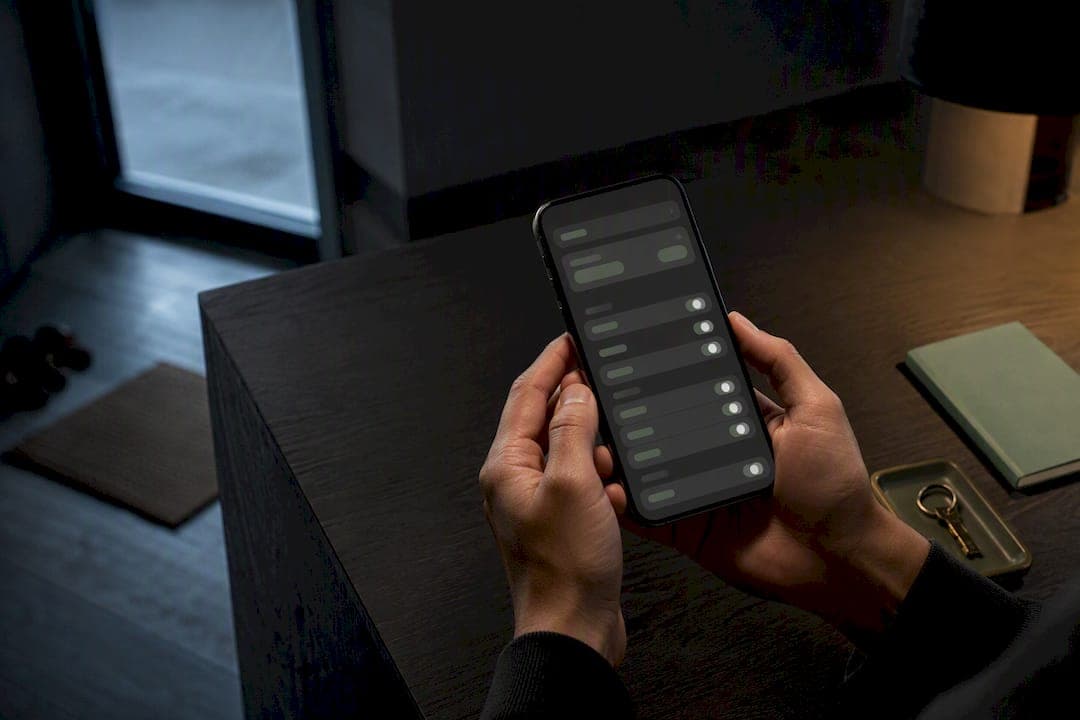
Maximum privacy for a relationship journal on an Apple device means both storage and any AI processing stay local, with nothing sent to a remote server for analysis. Apple Journal and some other apps are built around this model. Before trusting either, check two things: the App Privacy Details listing on its App Store page and whether the app enforces device-level encryption and a passcode or biometric lock.
TL;DR:
- On-device AI processes journal suggestions entirely on your iPhone or iPad, with no data sent to servers unless explicitly enabled through sync.
- Encrypted local backups are necessary to include journal entries in full device archives, as they are excluded from standard backups.
- Turning off relevant device permissions and enabling biometric locks help limit metadata and access risks on your device.
- Apps claiming "on-device" processing may still route some data through cloud services like Private Cloud Compute, which are not fully transparent or verifiable.
- Review privacy policies and App Privacy Details carefully to ensure that no third-party SDKs or tracking mechanisms compromise your data.
Table of Contents
- How on-device AI privacy actually works
- A checklist for evaluating a journaling app's privacy claims
- Which iOS settings actually limit data exposure
- What backup and export choices mean for privacy
- Why Obsidian Ridge Labs builds this way
- Data retention policies and automatic deletion options
- Sharing controls and permissions management
- Privacy risks hiding in metadata
- How third-party integrations change your exposure
- Your rights to access and delete your own data
- The checklist matters more than the marketing
- Echo Chamber Pro: journaling built to stay on your device
- Sources
- FAQ
How on-device AI privacy actually works
On-device AI means the model that reads your journal entries and generates suggestions runs entirely on your iPhone or iPad, using the device's own processor and memory. Cloud processing sends some or all of that data to a remote server for analysis, then returns a result. Apple's own middle path, Private Cloud Compute (PCC), complicates this picture: independent research shows PCC is cloud-based and distinct from strictly local processing, with some tasks routed to Apple's servers and PCC's privacy properties not fully verifiable without reverse engineering.
The Secure Enclave is a separate point of trust. It is a hardware-backed component that isolates cryptographic keys from the main processor, so even if the operating system or an app were compromised, the keys protecting your locked journal stay out of reach. This is why a device passcode or Face ID lock is not a cosmetic feature: it is the mechanism that ties your journal's encryption to hardware Apple designed specifically to resist extraction.
End-to-end encryption (E2EE) applies to entries once they leave the device to sync. Apple's Journal app encrypts entries when synced to iCloud if the user has enabled two-factor authentication and a device passcode. Without both conditions met, that guarantee does not hold.
Journaling Suggestions draws on signals like location, photos, and health data, all processed locally to generate writing prompts.
- Suggestions are generated from on-device signals, not from content sent to a server.
- You control which signal categories feed suggestions through device settings.
- Turning off a category removes it from future suggestions but does not retroactively delete past prompts.
Pro Tip: Treat "on-device AI" and "encrypted when synced" as two separate claims. An app can be fully local in processing and still expose entries in transit if sync encryption depends on settings you haven't enabled.
A checklist for evaluating a journaling app's privacy claims
Before you install or pay for a relationship journal app, work through a short verification routine rather than taking marketing language at face value.
- Open the app's App Store page and read the App Privacy Details label, checking whether any data type is linked to your identity or used for tracking.
- Search the privacy policy for specific terms: "on-device," "zero-knowledge," or "end-to-end encrypted," and note whether the language describes the whole app or only certain features.
- Confirm the app works without creating an account and does not bundle third-party analytics or advertising SDKs for its core journaling functions.
- Put your device in airplane mode, write and save an entry, and confirm the feature works with no network dependency.
- Check documented export and backup behavior, including whether exported files (ZIP, PDF) are encrypted or left as plaintext.
Developer guidance is worth noting here too: Apple states that data processed only on device is typically not disclosed as "collected" unless the app transmits a derived output elsewhere. A privacy label that lists nothing collected is a meaningful signal, provided the app's own documentation backs it up.
Pro Tip: A privacy policy that describes "on-device processing" in one paragraph and "personalized recommendations" in another is often describing two different features. Read for which specific function each claim covers.
Which iOS settings actually limit data exposure
A few minutes in Settings does more for your journal's privacy than most app-level toggles.
- Enable Face ID, Touch ID, or a passcode lock specifically for the Journal app, found within the app's own settings menu.
- Go to Settings > Privacy & Security > Journaling Suggestions and remove Photos, Location, or Health as input sources if you don't want prompts built from them.
- Set each permission, Location, Photos, Health, to "While Using" or deny it outright for apps that don't need constant background access.
- Turn on two-factor authentication for your Apple ID, since E2EE for synced Journal entries depends on it alongside a device passcode.
- Prefer an encrypted local backup over a standard iCloud backup when you need a full device-level archive that includes journal content.
These settings work together. A locked journal with Journaling Suggestions still pulling from your photo library gives you biometric protection on the outside but a wider data footprint feeding the prompts you see inside.
What backup and export choices mean for privacy
Journal entries are excluded from standard, unencrypted iPhone backups by default. To capture them in a full backup, you need to create an encrypted backup stored locally on a Mac or PC, since a standard iCloud backup will not include them either.
Exported files, whether ZIP archives or PDFs, are plaintext once they leave the app. Anyone with access to that file can read it without needing your device passcode.
- Journal entries stay out of ordinary backups unless you specifically create an encrypted local one.
- iCloud sync is end-to-end encrypted only when two-factor authentication and a passcode are both active.
- Treat exported ZIP or PDF files as unprotected until you encrypt them yourself.
Pro Tip: If you're archiving entries before switching phones or apps, encrypt the exported file locally first, then move it, rather than trusting a cloud export tool to protect it in transit.
Why Obsidian Ridge Labs builds this way
Obsidian Ridge Labs designs its Apple apps so that core AI processing and storage happen on the device, with no journal content sent to a remote server as part of normal use. Any network connection is opt-in and explained plainly rather than bundled invisibly into account setup.
This approach has a real tradeoff. A model that runs entirely on a phone's processor is smaller than one running on a data center's hardware, so it can be less capable at open-ended analysis than a cloud-backed assistant. For a relationship journal, where the content is sensitive and the value is mostly in prompting and organizing your own reflection rather than generating novel insight, that tradeoff tends to favor the local model.
On-device processing is a design constraint, not a marketing claim. It shapes what the app can and cannot do before a single line of copy is written.
— Alex
Data retention policies and automatic deletion options
A relationship journal accumulates entries over months or years, so what happens to old data matters as much as what happens to new data. On-device apps typically keep entries locally until you delete them, since there is no server-side copy to expire on a separate schedule. Some apps offer automatic deletion after a set period, useful if you want a rolling record rather than a permanent archive.
Check whether deletion is immediate and local or whether a "deleted" entry lingers in a trash folder, a local cache, or a device backup you made earlier. An entry removed from the app but preserved in an old encrypted backup is not actually gone. If retention settings exist, they should be visible in the app itself rather than buried in a support document, and deleting an entry should not require contacting a developer or submitting a request. For a journal covering a relationship, where entries can include names, disagreements, or health details, clear and immediate local deletion is one of the more concrete privacy features to look for.

Sharing controls and permissions management
Sharing a relationship journal, even selectively, introduces the first real point where privacy depends on choices rather than architecture. A well-built app should let you export or share a single entry rather than the entire archive, and it should be clear about what metadata travels with a shared entry, such as timestamps or location tags.
Permissions management extends beyond sharing individual entries. Review which device permissions, Photos, Location, Contacts, the app requests and whether each is tied to a feature you actually use. An app that asks for contacts access to journal about a relationship, for instance, is worth questioning. Granting broad permissions once and forgetting about them is how a privacy-respecting app slowly accumulates access it doesn't need for its core function.
Privacy risks hiding in metadata
Journal content isn't the only sensitive layer. Metadata, timestamps, location tags attached to entries, device identifiers, even the frequency and length of writing sessions, can reveal patterns about a relationship without exposing a single word of text. A local-only app reduces this risk by keeping that metadata on the device rather than transmitting it anywhere, but metadata still exists locally and shows up in backups and exports.
When you export an entry as a PDF or ZIP file, check whether location or timestamp metadata is stripped or preserved. Preserved metadata in a file you later share, even with someone you trust, can say more than you intended. Apps that process Journaling Suggestions locally, drawing on on-device machine learning for photo or location-based prompts, are handling this kind of metadata by design, which is one more reason the earlier checklist step of reviewing input sources for suggestions matters.
How third-party integrations change your exposure
Every integration an app adds, cloud backup services, analytics tools, third-party AI features, is a potential exit point for data that would otherwise stay on the device. A journaling app can be genuinely local in its core writing and AI features while still shipping a third-party analytics SDK that tracks usage patterns in the background.
This is part of why reading the full App Privacy Details listing matters more than reading the marketing page. A privacy label discloses data types tied to third-party SDKs even when the developer's own copy focuses only on the on-device features. Recent requirements around privacy manifests and SDK signatures were introduced specifically to improve transparency around what third-party code bundled into an app actually does. An app with zero or minimal third-party integrations has fewer places where a privacy promise can quietly fail.
Your rights to access and delete your own data
For an app that keeps everything local, access and deletion rights are mostly a matter of device control rather than a request to a company. You should be able to view, export, and permanently delete any entry directly within the app, without submitting a support ticket or waiting on a third party to process a request.
Where an app does sync data through iCloud or another service, deletion should propagate across synced copies, not just the copy on the device you're using. If an app requires contacting the developer to delete your data, that's a sign some portion of your journal lives somewhere other than your own device. For a journal covering something as personal as a relationship, the ability to permanently erase an entry yourself, on your own timeline, is a baseline expectation rather than a bonus feature.
The checklist matters more than the marketing
The conventional advice on this topic tends to stop at "look for encryption," as if a single checkbox setting were the whole story. It isn't. A relationship journal can be encrypted at rest, locked with Face ID, and still route Journaling Suggestions or backup data through a cloud path most users never notice, because PCC and similar hybrid systems blur the line between local and remote in ways that aren't visible from the interface.
What the evidence actually supports is a layered check: read the App Privacy Details label first, verify the encryption conditions for sync second, and test offline behavior third. Skipping straight to "it says private on the App Store" is where most privacy assumptions go wrong. The setting most people ignore, adjusting which device signals feed Journaling Suggestions, deserves more attention than it gets, since it's the one place where a genuinely local feature can still be shaped by data you'd rather not have logged anywhere, even on your own phone.

Echo Chamber Pro: journaling built to stay on your device
Some apps perform core AI processing and storage entirely on the device, with no journal content transmitted to a server as part of normal use. Any network feature is opt-in, clearly labeled, and never bundled into setup by default, so you decide what, if anything, leaves your phone.

Measured against the checklist in this article, some apps' approaches line up directly: on-device processing instead of cloud analysis, no mandatory account, and transparent controls over the few features that touch the network at all. If a private, Apple-native relationship journal is what you're after, the Echo Chamber Pro product page has details on plans and how to get started.
Sources
FAQ
Does Apple Journal send my entries to the cloud?
Apple's Journal app processes Journaling Suggestions using on-device machine learning, and entries stay encrypted on the device when locked. They sync to iCloud in end-to-end encrypted form only if you have two-factor authentication and a device passcode enabled.
How do I know if a journaling app actually processes data on-device?
Check the app's App Privacy Details label for what data types are collected and disable your network connection to test whether core writing and suggestion features still work. A genuinely local app functions the same offline as online.
Are my Journal entries included in a regular iPhone backup?
No. Journal entries are excluded from standard, unencrypted backups, so you need to create an encrypted local backup on a Mac or PC to capture them in a full device archive.
What does Echo Chamber Pro cost?
Echo Chamber Pro is available through the App Store product page with options including a monthly subscription, a yearly subscription, or a one-time purchase.
Is Apple's Private Cloud Compute the same as on-device processing?
No. Independent research shows PCC is cloud-based and distinct from purely local processing, with some tasks routed to Apple's servers and its privacy properties requiring specialized auditing rather than being verifiable from the device alone.