
For privacy-conscious Apple users, the strongest Quizlet alternatives are Memora and Cove from Obsidianridgelabs, both of which run their core AI and spaced repetition entirely on-device. If your study materials include sensitive lecture notes, medical content, or legal documents, that local processing distinction is the one that matters most.
Quick shortlist:
- Privacy-first, on-device AI: Memora (Obsidianridgelabs) — local SRS, PDF import, no cloud uploads required
- Local SRS with open-source control: Anki — offline-first, fully customizable, steeper setup
- Free cloud-based alternative with broad AI features: Knowt — generous free tier, AI card generation, cloud-dependent
Pro Tip: Before installing any study app, open its App Store listing and scroll to "App Privacy." Look for "Data Not Collected" or minimal data categories. Then check the app's own settings for an explicit "on-device" or "local-only" toggle. Apps that market on-device processing but still require internet for AI features are cloud tools with better marketing.
Users switch away from Quizlet primarily because of paywall restrictions on core study modes, ad friction on the free tier, and a growing need for richer inputs like PDFs and lecture audio.
Table of Contents
- How do the top Quizlet alternatives compare for Apple users?
- How do you pick the right alternative for your iPhone, iPad, or Mac?
- Why on-device AI and local SRS matter for privacy-conscious Apple users
- What is the best privacy-first alternative for Apple users?
- Why do people look for Quizlet alternatives?
- How do data retention and sharing policies differ across these apps?
- Do these apps support collaborative study and shared decks?
- How responsive is customer support for each app?
- How do these apps perform on Apple devices?
- Key Takeaways
- Why Obsidian Ridge Labs builds on-device study apps
- Memora and Cove are worth a 20-minute test
- Research sources and further reading
How do the top Quizlet alternatives compare for Apple users?
| Dimension | Memora (Obsidianridgelabs) | Cove (Obsidianridgelabs) | Anki | Knowt | RemNote |
|---|---|---|---|---|---|
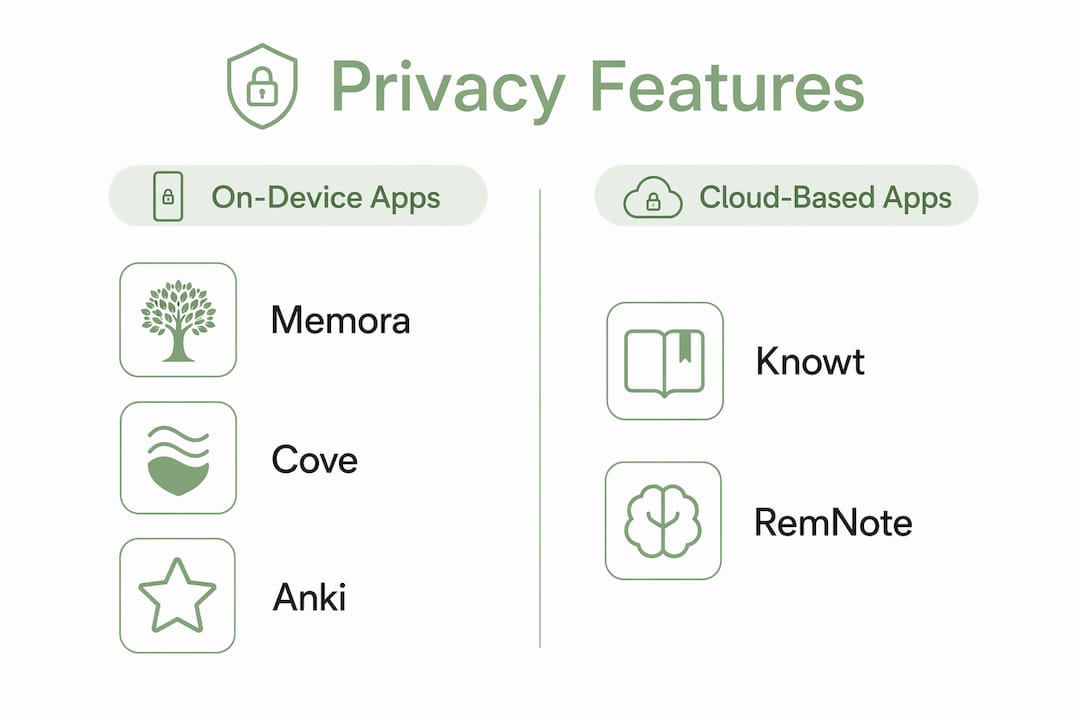
| Privacy model | On-device; no cloud upload required | On-device; local data path | On-device; open-source | Cloud-based | Cloud-based |
| AI features | PDF/note import, local card generation | Local AI note processing | None native; add-ons available | AI from PDFs, video, audio | AI summarization, PDF ingestion |
| SRS algorithm | FSRS, local scheduling | Local SRS | SM-2 / FSRS via add-on | Basic spaced repetition | Built-in SRS |
| Apple platform support | iOS, iPadOS, macOS; full offline | iOS, iPadOS; full offline | iOS (AnkiMobile), macOS (AnkiApp); offline | iOS app; requires internet for AI | iOS, macOS; partial offline |
| Ease of use | Low learning curve | Low learning curve | Moderate to steep | Low | Moderate |
| Import/export | CSV, Quizlet export | Notes-based import | APKG, CSV, Quizlet via add-on | Direct Quizlet import | Markdown, CSV |
| Pricing | One-time purchase (App Store) | One-time purchase (App Store) | Free (desktop); AnkiMobile paid | Free core; paid AI tier | Free core; paid subscription |
| Sync/backup | Local; optional encrypted sync | Local; optional encrypted sync | Local + AnkiWeb (optional) | Cloud sync | Cloud sync |
Memora and Cove stand out on the privacy dimension because their core functionality — card generation, SRS scheduling, and review sessions — does not require a network connection. The full comparison of Memora against Anki, Quizlet, RemNote, and Knowt on the Obsidianridgelabs blog covers feature parity in more detail.
Anki offers maximum control and a proven open-source track record, but its interface is dated and setup complexity is real. As one consistent finding across product roundups notes, open-source tools provide maximum control at the cost of a steeper learning curve. AnkiMobile on iOS is a paid app; the desktop version is free.
Knowt is the most accessible free option and handles direct Quizlet imports cleanly, but its AI card generation depends on cloud servers. That is an acceptable tradeoff for non-sensitive material, but not for anything you would not want uploaded to a third-party server.
RemNote sits between Anki and Knowt: more structured than Knowt, less privacy-controlled than Memora. Its PDF ingestion and linked note features appeal to graduate students, though cloud dependence remains.
Import friction warning: Testing with a single small deck before migrating a full library is strongly recommended. Quizlet exports in CSV or QTI-like formats, and image-heavy or multi-field cards often lose formatting in transit.
How do you pick the right alternative for your iPhone, iPad, or Mac?
Decision checklist — ask these before committing:
- Does the app explicitly state on-device inference, or does AI require internet?
- Can you run the app's main study feature in airplane mode?
- Does the App Store "App Privacy" label show "Data Not Collected" or minimal categories?
- Does the SRS algorithm run locally, or does scheduling depend on a server?
- What is the total cost over one semester, including any AI tier?
Why on-device processing matters
When your study material includes lecture recordings, clinical notes, or bar exam outlines, uploading that content to a cloud AI service creates a data exposure risk. Cloud-based AI often requires internet access and exposes notes to third-party servers. On-device inference eliminates that path entirely: the model runs on Apple silicon, the data never leaves your device.
When cloud AI is acceptable
For general-subject flashcards with no sensitive content, cloud AI tools offer broader model capabilities and often better multimodal summarization. The tradeoff is data exposure and internet dependency. If your material is publicly available textbook content, the privacy risk is lower and cloud tools become more practical.
Migration effort by library size
| Library size | Import test | Formatting cleanup | Total estimate |
|---|---|---|---|
| Small | 5–10 min | 0–15 min | Under 30 min |
| Medium (100–500 cards) | 10–20 min | 30–90 min | 1–2 hours |
| Large | 20–30 min | 90+ min | Half day or more |
Migration estimates align with practical guidance noting 30–90 minutes of cleanup for a medium-sized course. Image-heavy decks consistently take longer.
Red flags that should stop your evaluation:
- Privacy policy that references "sharing with partners" for study content
- AI features that silently fail in airplane mode
- No mention of encryption for local backups
- Core study modes locked behind a subscription with no trial
Pro Tip: Run the 20-minute import test before committing: import one lecture or one PDF, generate cards, and complete a short review session. This single step reveals import fidelity, card quality, and SRS scheduling behavior faster than any feature list.
Why on-device AI and local SRS matter for privacy-conscious Apple users
Benefits of on-device processing:
- Lower data exposure: study content never transits a third-party server
- Offline reliability: SRS sessions and card review work without Wi-Fi
- Deterministic SRS timing: FSRS scheduling places each card just before predicted forgetting, running locally with no server dependency
- Faster local inference on Apple silicon: M-series chips handle on-device language models with low latency
Trade-offs to know:
- On-device models are smaller than large cloud models; complex multimodal summarization may be less capable
- Local inference draws more CPU and battery than a simple network call to a cloud API
- Feature gaps occasionally exist where cloud-only capabilities (e.g., real-time web search, large-context summarization) are not replicated locally
When on-device wins clearly: sensitive lecture notes, medical school study materials, legal case outlines, or any content covered by professional confidentiality expectations. When cloud may be acceptable: large-scale summarization of publicly available textbooks where data exposure risk is low.
Pro Tip: To verify an "on-device" claim in practice: enable airplane mode, open the app, and run its primary AI feature. If card generation or SRS scheduling still works, the model is genuinely local. Pair this with a review of the App Store privacy label and the app's in-app settings for a "local-only" toggle.
For a deeper look at AI flashcard generation from PDFs with a privacy lens, the Obsidianridgelabs guide on AI flashcard apps for PDFs and notes covers the verification steps in detail.
What is the best privacy-first alternative for Apple users?
For most privacy-conscious Apple users, Memora is the clearest recommendation: on-device SRS using FSRS, PDF and note import, and no required cloud uploads. The path forward is straightforward.
Three next steps, in order:
- Run a 20-minute import test: export one Quizlet set as CSV, import it into Memora, and complete a short review session to check card quality and SRS scheduling.
- Check App Privacy labels for every app you are evaluating before installing.
- Enable local-only mode in Memora's settings to confirm no optional sync is active during your trial.
Fallback options if migration fails:
- Export your Quizlet library as CSV and keep a portable local copy regardless of which app you choose
- Use a cloud AI tool temporarily for heavy PDF summarization, then import the resulting cards into a local SRS app
- Maintain a small, portable deck in a format (CSV or APKG) that any major app can re-import
Why do people look for Quizlet alternatives?
Three drivers account for most of the switching behavior seen across product roundups. First, Quizlet moved core study modes including Learn Mode and unlimited practice tests behind a paid subscription, leaving the free tier with significant limitations. Second, the free tier includes ads, which disrupt study sessions and are particularly problematic for younger users. Third, students increasingly need richer inputs: PDFs, lecture audio, and video, feeding AI-generated study assets rather than manually typed flashcard pairs. Modern alternatives position themselves as AI study hubs that ingest these inputs and auto-generate structured study materials. For engineering and technical students managing complex document workflows, a guide to student software choices in 2026 provides useful broader context on tool selection.
How do data retention and sharing policies differ across these apps?
Processing model is only one part of the privacy picture. Data retention and third-party sharing policies vary significantly across the apps covered here.
Memora and Cove (Obsidianridgelabs): study content stays on-device by default. Optional sync, when enabled, is documented in the app's settings with explicit user control. The company publishes its data flow documentation on its philosophy page.

Anki: open-source codebase means the local app collects nothing by default. AnkiWeb sync is optional and stores deck data on Anki's servers; users who skip sync retain full local control.
Knowt: cloud-based architecture means study content is uploaded to Knowt's servers for AI processing. The privacy policy should be reviewed for data retention periods and any third-party sharing for analytics or advertising.
RemNote: similarly cloud-dependent. Review the privacy policy for retention terms, particularly for any AI-processed content.
The App Store privacy label is the fastest pre-install check, but it does not cover retention duration or sharing scope. Reading the actual privacy policy for any cloud-based app remains necessary for a complete picture.
Do these apps support collaborative study and shared decks?
Collaboration features vary sharply by privacy model, which creates a direct tradeoff.
Knowt offers the most developed collaborative features: shared decks, a large community library, and AI-generated content that can be distributed to classmates. This is its clearest advantage over on-device alternatives.
Anki has a large public deck repository (AnkiWeb) with shared decks across nearly every subject. Collaboration is asynchronous: share an APKG file, and the recipient imports it locally. No real-time co-editing exists.
Memora and Cove prioritize individual private study over shared libraries. Deck sharing requires exporting a file and sending it directly, which preserves privacy but removes the community-library convenience. For group study scenarios, this is a genuine tradeoff to weigh.
RemNote supports shared portals and collaborative note spaces, making it a reasonable choice for study groups comfortable with cloud storage.
How responsive is customer support for each app?
Support quality follows roughly the same pattern as pricing model.
Obsidianridgelabs (Memora, Cove): direct developer support via email, with a company blog that documents known issues and feature updates. Response times are not publicly listed, but the small-team structure typically means faster escalation than large platforms.
Anki: community-driven support through forums and a large user base. No dedicated customer support team. Solutions exist for most problems, but finding them requires some effort.
Knowt: in-app help and a support email channel. As a venture-backed product with a large user base, response times vary. Community forums and a help center cover common issues.
RemNote: email support and a community Discord. The help documentation is thorough for power users, though onboarding support for new users is limited.
How do these apps perform on Apple devices?
Performance on Apple hardware is where on-device apps hold a structural advantage. Memora and Cove are built exclusively for Apple platforms, meaning their interfaces follow iOS and macOS Human Interface Guidelines, their local models are optimized for Apple silicon, and they do not carry the overhead of cross-platform frameworks.
Anki's iOS app (AnkiMobile) is stable and well-maintained, though its interface reflects its desktop origins. The macOS version performs reliably for review sessions but lacks the polish of a native Apple-first design.
Knowt's iOS app functions well for card review and import, but AI features require a network connection, so performance in low-connectivity environments degrades. RemNote's iOS app is functional but occasionally slower than its web counterpart on complex note structures.
For users on M-series MacBooks or recent iPhones, on-device inference in Memora runs with low latency. Battery impact during extended study sessions is moderate and comparable to other locally-running AI tasks on Apple silicon.
Key Takeaways
For privacy-conscious Apple users, Memora from Obsidianridgelabs is the strongest Quizlet alternative because it combines on-device SRS, local AI card generation, and transparent data controls in a single native Apple app.
| Point | Details |
|---|---|
| Privacy check first | Inspect the App Store "App Privacy" label and run the app in airplane mode before committing. |
| Test before migrating | A 20-minute import test with one small deck reveals card quality and SRS behavior faster than any feature list. |
| On-device vs. cloud tradeoff | On-device wins for sensitive content; cloud AI is acceptable for publicly available material with no confidentiality risk. |
| Migration effort scales | A medium library typically requires about an hour or two including formatting cleanup. |
| Obsidianridgelabs recommendation | Memora and Cove offer on-device SRS and local AI with no required cloud uploads, available as one-time purchases on the App Store. |
Why Obsidian Ridge Labs builds on-device study apps
Obsidianridgelabs builds exclusively for Apple devices because the architecture of Apple silicon makes genuine on-device AI practical at a quality level that was not achievable on mobile hardware a few years ago. The decision to keep processing local is not a marketing position — it reflects a specific technical and ethical commitment: study content, whether lecture notes or medical outlines, should not transit a third-party server unless the user explicitly chooses that.
Memora and Cove are two concrete expressions of that approach. Both apps implement their SRS scheduling and AI card generation locally, with optional sync documented transparently in settings rather than enabled by default. The company publishes comparative blog posts and privacy verification guides so users can confirm these claims independently, not just take them on faith. App Store privacy labels for both apps reflect minimal data collection, and the company's on-device AI philosophy explains the architectural reasoning behind each design decision.
The broader Obsidianridgelabs suite — covering transcription, finance, journaling, and study tools — follows the same pattern: local processing first, optional connectivity second, and full transparency about what each connection does.
Memora and Cove are worth a 20-minute test

Obsidianridgelabs builds study apps that keep your content on your device, not on a server. Memora handles flashcard generation from PDFs and notes using local AI, with FSRS scheduling that runs entirely offline. Cove applies the same on-device approach to note-based study workflows. Both are available as one-time purchases on the App Store — no subscription required for core features, no cloud dependency for your study sessions.
To get started: install Memora from the App Store, import one existing deck or PDF, and run a 20-minute review session with airplane mode enabled. If the cards generate and the SRS session runs cleanly, you have confirmed that the core workflow is genuinely local. Optional iCloud sync is available but off by default. Visit Obsidianridgelabs to see the full app suite and review the privacy documentation before you install.
Research sources and further reading
- Top 5 Quizlet Alternatives | RemNote Blog — covers paywall-driven switching behavior, open-source tradeoffs, and import friction guidance
- Best Quizlet Alternatives for Students | Thetawave — analyst write-up on AI study hubs, on-device privacy guidance, and migration drivers
- 8 Free Quizlet Alternatives | FlashRecall Blog — practical 20-minute import test methodology and trial guidance
- MintDeck — FSRS and Spaced Repetition — product positioning on FSRS adoption as a scheduling differentiator
- KeepMind App Store Listing — example of App Store privacy label inspection for on-device claims
- Private AI Apps for Apple | Obsidianridgelabs — publisher's product suite and privacy architecture overview
Verify current pricing and feature availability directly on each vendor's website and the Apple App Store before making a final decision. Features and subscription tiers change frequently. Running the 20-minute import test and checking the App Store "App Privacy" label remain the two most reliable pre-commitment steps regardless of what any roundup reports.