
For privacy-conscious Apple users, the strongest Monica alternative is the Obsidian Ridge Labs on-device relationship manager, paired with a small stack of specialized on-device apps. All core processing runs locally on your device, no contact data leaves your iPhone or Mac, and the apps integrate directly with Apple Contacts, Calendar, and Shortcuts.
- True local inference: relationship data and AI analysis stay on-device, with no vendor-server routing by default
- iOS and macOS native: built for the Apple ecosystem, not ported from a browser extension
- Direct Apple integration: reads from Apple Contacts and Calendar without a cloud intermediary
The trade-off is real: you get fewer live web-search features than cloud-based browser plugins offer. What you gain is genuine data sovereignty. Industry analysts confirm the market has shifted toward workflow-specific tools over generalist assistants, and for Apple users who prioritize privacy, that shift favors on-device stacks.
Pro Tip: Before testing any alternative, export your Monica data (CSV or JSON) and store it locally. This gives you a clean fallback if a migration step fails.
Table of Contents
- What are the best Monica alternatives for Apple and privacy?
- How do you choose the right Monica alternative for your workflow?
- Short profiles: what each alternative does and when to pick it
- How to migrate your data from Monica to an on-device alternative
- Ten privacy checks to verify an on-device claim
- Key Takeaways
- Why on-device design changes the privacy equation
- Obsidianridgelabs builds private AI for Apple users who want real control
- Useful sources for further verification
What are the best Monica alternatives for Apple and privacy?
| Tool | Best for | Privacy model | AI features | Platforms | Data migration | Pricing | Apple integration | Offline |
|---|---|---|---|---|---|---|---|---|
| Obsidian Ridge Labs | Private relationship tracking + transcription | On-device (local inference) | On-device LLM, contact analysis, reminders, summaries | iOS, macOS | CSV/JSON import | App Store one-time or subscription | Apple Contacts, Calendar, Shortcuts | Full |
| Monica (self-hosted) | Open-source personal CRM, self-managed | Local (self-hosted server) | Reminders, notes, contact history | Web (iOS via browser) | Full export (CSV, JSON, SQL) | Free self-hosted; paid cloud tiers | Limited native Apple integration | Requires server |
| Cardhop (Flexibits) | Contact management and quick lookup | On-device + iCloud sync | Contact parsing, smart actions | iOS, macOS | vCard, Apple Contacts sync | One-time purchase | Deep Apple Contacts, Calendar | Full |
| Cloze | Relationship intelligence, email + contact analysis | Cloud (vendor servers) | AI relationship scoring, reminders, contact analysis | iOS, macOS, Web | CSV import | Subscription | Apple Contacts, Calendar, Mail | Limited |
| Apple Contacts + Shortcuts | DIY automation, zero-cost on-device approach | On-device + iCloud | Basic contact fields, Shortcuts automation | iOS, macOS | vCard, iCloud | Free | Native | Full |
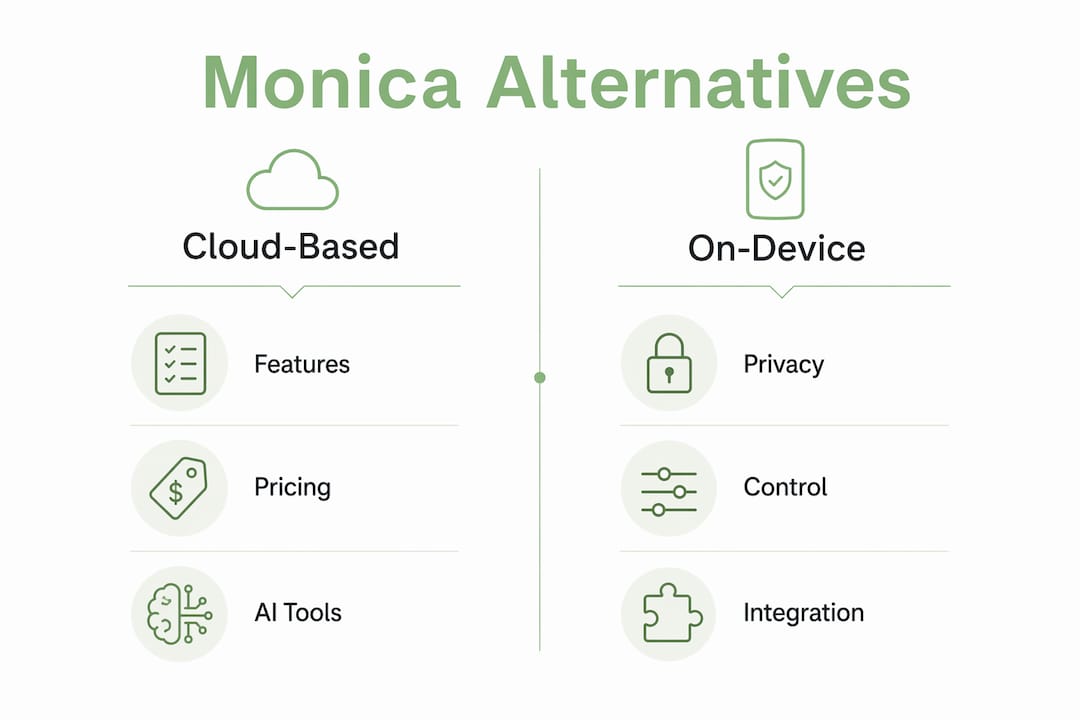
Specialized tools consistently outperform generalist plugins for focused workflows like transcription or document analysis. For relationship tracking with strict privacy, Obsidian Ridge Labs is the primary recommendation. For open-source self-hosting, Monica's own self-hosted option remains valid. For contact-centric automation on Apple, Cardhop or Apple Contacts with Shortcuts covers most needs without cloud exposure.
How do you choose the right Monica alternative for your workflow?
Choose by workflow first, then by privacy model. Users who pick tools based on specific workflows rather than broad feature lists report better long-term satisfaction. A contact manager built for relationship memory serves a different need than a transcription app or a document-analysis tool.
Questions to ask any vendor before committing:
- Does AI inference run on the device, or does content go to vendor servers?
- Which specific operations require a network connection?
- Where are the model weights hosted, and how are they delivered?
- How is sync handled — iCloud, vendor cloud, or local only?
- What export formats are supported, and can you export everything?
Red flags to watch for:
- Opaque credit or usage caps that reset monthly without clear documentation
- Mandatory cloud model routing even for basic queries
- Privacy policies that use vague language like "may share with partners"
- Vendor-hosted backups with no opt-out option
The decision path is straightforward. If data sovereignty is non-negotiable, choose an on-device app with verified local inference. If you occasionally need deep web research or citation-heavy analysis, a hybrid approach works: use an on-device app for sensitive contact data and a clearly audited cloud tool for research tasks, with explicit export boundaries between them.

Short profiles: what each alternative does and when to pick it
Obsidian Ridge Labs on-device relationship manager
Best for: privacy-first relationship tracking, reminders, and contact analysis on Apple devices. All core AI runs locally using on-device models; no contact content is sent to Obsidian Ridge Labs servers by default. Available on iOS and macOS. Imports via CSV and integrates with Apple Contacts and Calendar natively. Pricing follows the App Store model: one-time purchase or subscription, with no unpredictable usage caps. The private transcription app Echo Chamber extends the stack for meeting notes and voice memos without cloud routing.
- Pros: genuine on-device inference, predictable pricing, tight Apple ecosystem fit
- Cons: no live web search, model capabilities bounded by device hardware
Monica (self-hosted)
Best for: users who want an open-source personal CRM and are comfortable managing a server. Self-hosted Monica keeps all data on your own infrastructure. The cloud-hosted version routes data through Monica's servers, which changes the privacy calculus significantly. Migration out is well-supported: full CSV, JSON, and SQL exports are available. Native iOS app support is limited to the web interface in a browser.
- Pros: open source, full data export, active community
- Cons: self-hosting requires technical setup; cloud tier reintroduces server-side data exposure
Cardhop (Flexibits)
Best for: contact management and quick-action workflows on Apple devices. Cardhop stores data on-device and syncs via iCloud, keeping contact information within Apple's ecosystem. It parses natural-language contact entries and surfaces smart actions. Available as a one-time purchase on iOS and macOS. Migration from Monica requires exporting vCards or CSV and importing through Apple Contacts.
- Pros: polished Apple-native UX, iCloud sync, one-time pricing
- Cons: limited AI relationship intelligence compared to dedicated CRM tools
Cloze
Best for: relationship intelligence tied to email and calendar activity. Cloze analyzes communication patterns to surface relationship insights and reminders. The privacy model is cloud-based: contact and communication data is processed on Cloze's servers. Offline capability is limited. Pricing is subscription-based.
- Pros: strong relationship-scoring AI, broad integrations
- Cons: cloud processing model; less suitable for users with strict data-sovereignty requirements
Apple Contacts + Shortcuts
Best for: users who want zero-cost, fully on-device contact management with custom automation. Apple Contacts stores data locally and syncs via iCloud. Shortcuts lets you build custom workflows: auto-reminders, contact-update triggers, and data-export routines. No AI relationship analysis is built in, but the privacy model is as clean as it gets on Apple hardware.
- Pros: free, fully on-device, deep OS integration
- Cons: no AI contact analysis; automation requires manual Shortcuts setup
Pro Tip: Combine Obsidian Ridge Labs for AI-powered relationship tracking with Apple Shortcuts for automated reminders and contact-update triggers. The two complement each other without adding cloud exposure.
How to migrate your data from Monica to an on-device alternative
Export first, then import. Pull a CSV or JSON export from Monica (or run a database dump if self-hosted), verify the fields, then import to your chosen app.
- Export from Monica: go to Settings > Export and download CSV or JSON. Self-hosted users can also export a full SQL dump for maximum field fidelity.
- Verify exported fields: open the file and confirm that notes, tags, reminder timestamps, and relationship labels transferred correctly. Timestamps often use UTC; convert to local time before importing.
- Choose your import pathway: Apple Contacts accepts vCard and CSV; Cardhop mirrors Apple Contacts import; Obsidian Ridge Labs accepts CSV; Cloze accepts CSV with field mapping.
- Test on a small subset: import 10–20 contacts first and confirm that notes and reminders appear correctly before running the full import.
- Enable on-device AI features: once the import validates, activate local AI features within the app settings and verify that no network requests fire during analysis (use iOS Screen Time or a network monitor to check).
Common pitfalls:
- Truncated note fields when CSV cells contain line breaks — wrap fields in quotes before importing
- Reminder timestamps in non-standard formats that import as plain text rather than calendar events
- Attachments (photos, documents) that require a separate manual download from Monica before migration
- Cloud-only fields (Monica's activity feed, integrations) that have no direct equivalent in on-device apps
Pro Tip: Keep a verified local backup of your Monica export before making any changes. Switching tools often stalls because users lose their original data during a failed import — a local copy eliminates that risk.
Ten privacy checks to verify an on-device claim
Verify these ten items before trusting any app with your contact data.
- Explicit local-inference statement: the privacy policy or documentation explicitly states that AI processing occurs on-device.
- Local model binaries: the app ships model weights in the app bundle or downloads them once to local storage, not from vendor servers at each query.
- No content sent by default: network traffic analysis shows no contact content leaving the device during normal AI operations.
- Encryption at rest: the app encrypts stored data using iOS Data Protection or equivalent.
- Sync options clearly documented: the app states whether sync uses iCloud, vendor servers, or local-only options, and lets you choose.
- Offline capability confirmed: core AI features function with no network connection.
- Transparent telemetry policy: the privacy policy specifies exactly what diagnostic or usage data is collected and how to opt out.
- Local export and backup: you can export all data to a local file without routing through vendor infrastructure.
- Opt-in cloud features: any cloud-enhanced features require explicit user consent, not silent enrollment.
- App Store distribution and independent reviews: the app is distributed through the Apple App Store and has verifiable independent reviews.
A common red flag: an app claims on-device processing but downloads model weights from vendor servers at first launch, meaning your device contacts the vendor infrastructure before any analysis runs. Use the iOS privacy report and a network monitor to catch this pattern. External privacy guidance from Unfollio also recommends checking telemetry settings before connecting any AI assistant to sensitive contact data.
Pro Tip: Run iOS Screen Time's App Privacy Report for 24 hours after installing a new app. Any unexpected domain contacts during that window are worth investigating before you import personal data.
Key Takeaways
For privacy-conscious Apple users, the most defensible Monica alternative is a verified on-device app stack anchored by Obsidian Ridge Labs, with Apple Contacts and Shortcuts handling automation at zero additional cost.
| Point | Details |
|---|---|
| Workflow first | Choose your alternative based on the specific task (relationship tracking, transcription, reminders) before evaluating features. |
| Verify local inference | Confirm model weights ship locally and no contact content leaves the device during AI operations. |
| Migrate carefully | Export CSV/JSON from Monica, test on a small subset, and keep a local backup before full import. |
| Watch for cost traps | Credit-based cloud tools create unpredictable monthly costs; App Store one-time or subscription pricing is more predictable. |
| Obsidianridgelabs recommendation | Obsidian Ridge Labs on-device relationship manager is the primary recommendation for Apple users who require genuine data sovereignty. |
Why on-device design changes the privacy equation
The conventional wisdom in the personal CRM space is that more AI features require more cloud infrastructure. That framing is worth questioning. Browser-sidebar extensions typically capture page content and route it to cloud GPUs for inference, which means your contact notes, relationship history, and personal reminders pass through vendor servers on every query. The privacy policy may be well-written, but the data path is inherently less controllable than local processing.
Obsidian Ridge Labs builds from the opposite premise: keep the model on the device, keep the data on the device, and make cloud connectivity opt-in rather than default. That design choice has a practical cost — on-device models are smaller than cloud-hosted ones, and live web search is not available without a network call. But for users whose primary concern is data sovereignty, that tradeoff is the right one. The company's philosophy page documents these design decisions transparently, which is itself a meaningful trust signal. Combining on-device apps with selective, auditable cloud services for occasional deep research is a workable hybrid for users who need both.
Obsidianridgelabs builds private AI for Apple users who want real control
If you want a Monica alternative that keeps your relationship data, contact notes, and AI analysis entirely on your iPhone or Mac, Obsidian Ridge Labs is the direct answer. The on-device app portfolio covers relationship management, private transcription, journaling, finance tracking, and more — all processed locally, all available through the Apple App Store with one-time or subscription pricing and no usage-cap surprises.

Before enabling any sync feature, run the ten-point privacy checklist above. Then visit Obsidian Ridge Labs to review the full app portfolio and find the combination that fits your workflow.
Useful sources for further verification
- Private AI Apps for Apple | Obsidian Ridge Labs — full portfolio of on-device apps with privacy documentation
- On-Device AI Privacy Verification Guide | Obsidian Ridge Labs — step-by-step instructions for confirming local inference on iPhone
- Offline AI Apps in 2026 | Obsidian Ridge Labs — overview of which AI features work without internet access
- Personal CRM comparison: Kith vs alternatives | Obsidian Ridge Labs — how on-device personal CRM compares to cloud options
- Safety & Privacy | Unfollio — third-party guidance on telemetry settings and privacy verification before connecting AI tools to personal data
- Monica AI alternatives overview | Flowith — market overview of browser-based alternatives, useful for benchmarking feature sets
Export your Monica data before testing any alternative. A local backup costs nothing and protects against data loss during migration.