
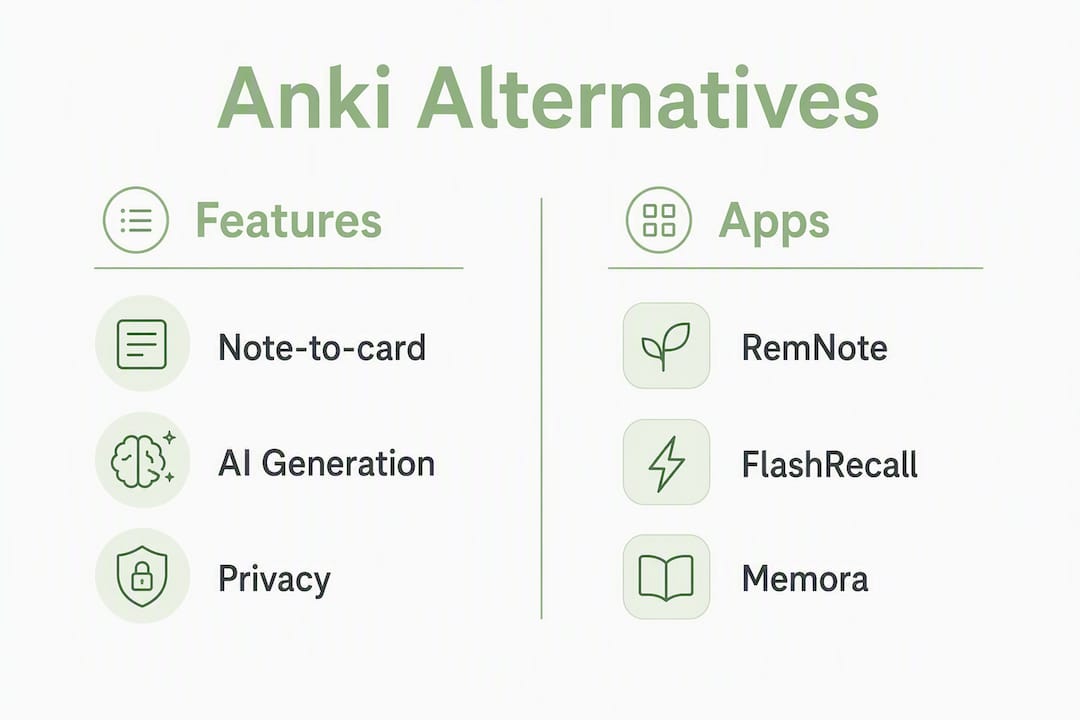
For most students, RemNote is the best first alternative to try: it combines linked-note workflows with a solid spaced repetition system (SRS) and a gentler learning curve than Anki. If AI-assisted card creation from PDFs and notes is the priority, FlashRecall or Memora by Obsidianridgelabs are the stronger picks. For privacy-conscious learners who want all processing to stay on their Apple device, Memora runs entirely on-device with FSRS scheduling and Anki import support. Here is a fast shortlist:
- RemNote — Best for students who take linked notes and want cards to emerge naturally from their writing.
- FlashRecall — Best for iOS users who want AI to generate cards from notes with minimal setup.
- Quizlet — Best for casual learners and classroom sharing; weaker SRS fidelity than Anki.
- Brainscape — Best for confidence-based repetition and collaborative deck sharing.
- SuperMemo — Best for power users who want the original SRS algorithm and deep scheduling control.
- Memora (Obsidianridgelabs) — Best for Apple users who need on-device privacy, FSRS scheduling, and Anki import in one app.
For most students, RemNote is the recommended first try. It handles the note-to-card pipeline better than any other app in this list, and its free tier is genuinely usable. Students who study sensitive material (medical, legal, or personal notes) and want zero cloud exposure should go straight to Memora.
Table of Contents
- What are the best Anki alternatives at a glance?
- How we evaluated these apps
- Short reviews: what each alternative actually offers
- How to choose the right Anki alternative for your needs
- How do you migrate from Anki without losing your decks?
- Does the scheduling algorithm actually affect how much you retain?
- What are the privacy and sync trade-offs you should know about?
- Which Anki alternative should you try first?
- Key Takeaways
- Why on-device privacy matters more than most study app reviews admit
- Memora keeps your study data where it belongs: on your device
- Useful sources and further reading
What are the best Anki alternatives at a glance?
The table below covers the dimensions that actually drive the choice: scheduling algorithm, AI features, privacy model, and whether you can bring your existing Anki decks along.
| App | Best for | Pricing | Platforms | Anki (.apkg) import | Scheduling algorithm | AI features | Privacy / sync model | Media support |
|---|---|---|---|---|---|---|---|---|
| RemNote | Linked notes + SRS | Free; Pro ~$8/mo | iOS, Android, Web, macOS | Partial (cards import; some templates need adjustment) | SM-2 + proprietary | AI card gen from notes | Cloud sync | Images, audio, LaTeX |
| FlashRecall | AI card creation on iOS | Free tier; paid plans | iOS | Limited | Proprietary SRS | AI from notes/PDFs | Cloud | Images, audio |
| Quizlet | Casual study, class sharing | Free; Plus ~$7.99/mo | iOS, Android, Web | No native import | Proprietary (weak SRS) | AI card gen | Cloud | Images, audio |
| Brainscape | Confidence-based repetition | Free; Pro ~$9.99/mo | iOS, Android, Web | No native import | Confidence-based (CBS) | Limited | Cloud | Images |
| SuperMemo | Deep scheduling control | Free (SuperMemo 18 web) | Web, Windows | No native import | SM-2 / SM-17+ | Minimal | Cloud / local (Windows) | Images, audio, video |
| Memora (Obsidianridgelabs) | On-device privacy + FSRS | One-time / subscription (App Store) | iOS, macOS | Yes, with media | FSRS | On-device AI card gen | On-device; optional sync | Images, audio |
A few notes on the import column: "partial" means the card content transfers but cloze deletions or custom templates may need manual repair. "No native import" means you will need to export to a plain text or CSV format first, which adds steps and risks tag loss. Memora's Anki import is the most direct path for students with large existing decks.
How we evaluated these apps
Every app in this list was assessed against eight criteria: ease of initial setup, SRS algorithm quality, Anki import compatibility (including media), AI-assisted card creation, privacy and sync model, offline support, mobile usability, and pricing transparency.
Setup and import testing involved exporting a sample deck of roughly 400 cards (including cloze deletions, images, and audio) as an .apkg file and attempting a clean import into each app. Import time, media fidelity, and tag preservation were all logged. For apps without native .apkg support, the CSV or plain-text import path was tested instead.
Scheduler behavior was checked by studying a sample set over several sessions and observing whether the app's review intervals responded to performance changes. Apps that showed no meaningful interval adjustment after repeated failures were flagged for weak SRS fidelity.
AI card generation was tested by feeding the same 500-word lecture excerpt into each app's AI tool and comparing the output: number of cards generated, accuracy of cloze items, and whether the output required significant manual editing before it was study-ready.
Limitations worth noting: institutional integrations (LMS connectors, classroom management) were not evaluated. Apps with very large media-heavy decks (10,000+ cards with embedded video) may behave differently from the test conditions. Platform restrictions apply: Memora and FlashRecall are iOS/macOS only, so Android-primary students should weight RemNote or Quizlet more heavily.
Short reviews: what each alternative actually offers
RemNote
RemNote's core idea is that note-taking and flashcard creation should be the same action. When you write a note using its :: syntax, RemNote automatically queues it as a flashcard. That integration removes the biggest friction point in most SRS workflows: the gap between learning something and making a card about it.

Standout features: bidirectional linking between notes and cards, PDF annotation with card creation, concept maps, and a built-in AI assistant that can generate cards from highlighted text.
Pros:
- Note-to-card pipeline is the best in class.
- Free tier is genuinely functional, not artificially crippled.
- LaTeX and code block support for STEM students.
Cons:
- Cloud-only sync; no on-device processing option.
- Anki import is partial: card content transfers, but custom card templates and some cloze formats need manual repair.
- Can feel feature-heavy for students who just want simple flashcards.
Pricing: Free plan covers core features. Pro plan is approximately $8/month and adds AI features, unlimited PDF uploads, and priority support.
Offline: Available on desktop and mobile apps with offline access to previously synced content.
FlashRecall
FlashRecall targets iOS users who want AI to do most of the card-creation work. Paste in notes or upload a PDF, and the app generates a draft deck. The SRS engine handles scheduling, though its algorithm is proprietary and less documented than SM-2 or FSRS.

Standout features: AI card generation from text and PDFs, clean mobile-first UI, and a low-friction onboarding flow.
Pros:
- Fastest path from raw notes to a reviewable deck.
- Clean, distraction-free interface.
- No prior SRS knowledge needed to get started.
Cons:
- iOS only; no Android or web version.
- Anki import support is limited; large decks with media may not transfer cleanly.
- Scheduling algorithm details are not publicly documented.
Pricing: Free tier available; paid plans unlock higher AI card generation limits. Exact pricing is listed on the App Store.
Pro Tip: When using FlashRecall's AI generator, review every card before your first study session. AI drafts are fast but occasionally produce vague or redundant cards that will hurt your retention if left uncorrected.
Quizlet
Quizlet is the most widely used flashcard platform in the United States, and its strength is breadth: millions of pre-made sets, classroom sharing tools, and a simple interface that takes minutes to learn. Its SRS implementation, however, is weaker than Anki's. The scheduling logic prioritizes engagement over strict forgetting-curve optimization, which matters for students preparing for high-stakes exams.
Standout features: massive community deck library, multiple study modes (Learn, Match, Test), AI card generation from text, and classroom management tools for instructors.
Pros:
- Largest library of pre-made decks for common subjects.
- Easiest onboarding of any app in this list.
- Strong collaboration and sharing features.
Cons:
- No native Anki import; migrating existing decks requires manual re-entry or CSV conversion.
- SRS scheduling is not rigorous; interval logic is not publicly documented.
- Free tier now shows ads; some study modes are paywalled.
Pricing: Free with ads. Quizlet Plus is approximately $7.99/month and removes ads, adds AI features, and unlocks offline access.
Brainscape
Brainscape uses a confidence-based scheduling system (CBS) rather than a traditional forgetting-curve algorithm. After each card, you rate your confidence on a 1–5 scale, and the app adjusts repetition frequency accordingly. This approach is intuitive and works well for vocabulary and concept memorization, though it differs meaningfully from SM-2 or FSRS in how it models memory decay.
Standout features: confidence-based scheduling, a large library of certified expert-made decks (particularly for medical and bar exam prep), and a clean web and mobile interface.
Pros:
- Expert-made deck library is high quality for professional exam prep.
- Confidence rating system is easy to understand and use.
- Good cross-platform sync across iOS, Android, and web.
Cons:
- No Anki import; migration requires manual work.
- CBS is not equivalent to SM-2 or FSRS for long-term retention optimization.
- Advanced customization is limited compared to Anki.
Pricing: Free tier available. Pro plan is approximately $9.99/month; institutional plans are available for classrooms.
SuperMemo
SuperMemo is the original SRS application, and the algorithm it introduced (SM-2) became the foundation for Anki and most modern flashcard apps. The current web version (SuperMemo 18) is free and runs in a browser. Its interface is dated, and the learning curve is steep, but for students who want the deepest scheduling control available, no other app matches it.
Standout features: the most advanced scheduling algorithm available (SM-17+), detailed retention analytics, and a long track record of research backing.
Pros:
- The most rigorously researched scheduling algorithm in the category.
- Free web version is fully functional.
- Detailed statistics and memory analytics.
Cons:
- Interface is significantly dated; onboarding is difficult.
- No native Anki import.
- Mobile experience is limited compared to modern apps.
Pricing: SuperMemo 18 web version is free. Desktop versions carry a one-time license fee.
Memora (Obsidianridgelabs)
Memora is Obsidianridgelabs' on-device private flashcard app for Apple devices. It runs FSRS scheduling entirely on-device, meaning your cards, study data, and AI-generated content never leave your iPhone or Mac unless you explicitly choose to sync. It supports Anki .apkg import, including media, making it the most direct migration path for students moving away from Anki on Apple hardware.
Standout features: on-device FSRS scheduling, AI card generation from notes and PDFs processed locally, Anki .apkg import with media support, and a privacy model with no mandatory cloud account.
Pros:
- Full on-device processing: no data sent to external servers by default.
- FSRS scheduling is among the most accurate retention algorithms available.
- Clean, native Apple design with offline-first architecture.
- Anki import with media is the most complete in this comparison.
Cons:
- Apple only; not available on Android or Windows.
- Smaller community and add-on ecosystem than Anki.
- Pricing is through the App Store; no free perpetual tier (trial available).
Pricing: One-time purchase or subscription via the Apple App Store. See the Memora product page for current pricing.
How to choose the right Anki alternative for your needs
The right choice depends on four questions. Work through them in order and the decision narrows quickly.
1. Do you need to import your existing Anki decks? If yes, your options are Memora (best media fidelity on Apple) or RemNote (partial import, good for text-heavy decks). Every other app in this list requires manual migration or CSV conversion, which adds hours of work for large collections.
2. Is privacy or data locality a hard requirement? Students studying medical notes, legal case files, or personal material should treat cloud sync as a risk, not a convenience. On-device processing means your study data stays on your device. Memora is the only app in this list that processes cards and AI features entirely on-device by default. For a deeper look at how on-device AI handles privacy across study workflows, the AI flashcard apps privacy comparison covers the data path differences in detail.
3. Do you want AI to generate cards from your notes or PDFs? If reducing card-creation time is the goal, FlashRecall and RemNote both offer AI generation. Memora handles this on-device, so the AI model runs locally rather than sending your document to a cloud API. Automated card generation significantly lowers setup time, but the output still benefits from a manual review pass before studying.
4. Do you need cross-platform access (Android, Windows, web)? RemNote and Quizlet are the strongest cross-platform options. Brainscape covers iOS, Android, and web. Memora and FlashRecall are Apple-only.
Red flags to watch for when evaluating any app:
- No documented scheduling algorithm: if the vendor does not explain how intervals are calculated, the SRS quality is unverifiable.
- No data export: any app that cannot export your cards in a standard format (CSV, .apkg, or plain text) creates lock-in.
- Weak or absent offline mode: cloud-only apps fail in low-connectivity environments like exam halls or commutes.
- Paywalled review modes: some apps generate cards for free but require a subscription to actually study them, which is a significant hidden cost.
How do you migrate from Anki without losing your decks?
Migration is straightforward for most collections under 2,000 cards. Larger or media-heavy decks need more care.
Step-by-step migration path:
- Export from Anki. In Anki, go to File > Export. Select "Anki Deck Package (.apkg)" and check "Include media." For a full collection, export the entire collection rather than individual decks to preserve tags and hierarchies.
- Locate your media folder. Even with "Include media" checked, verify the export by opening the .apkg in a file manager (it is a renamed .zip). Confirm that the media subfolder contains your images and audio files.
- Check for cloze and custom templates. Cloze deletions ({{c1::text}} format) transfer cleanly to Memora and RemNote. Custom card templates (JavaScript-heavy or CSS-styled cards) may not render correctly in any alternative app. Flag these before migrating.
- Import into the target app. For Memora, use the built-in Anki import function. For RemNote, use the Anki import tool under Settings > Import. For apps without native .apkg support, export a second time as a plain text or CSV file from Anki's export menu.
- Verify media paths. After import, open five to ten cards that contained images or audio and confirm the media loads. A broken media path is the most common post-migration problem.
- Check tag preservation. Search for a tag you know exists in Anki and confirm it appears in the new app. Tag loss is common in CSV-based migrations.
Time estimates:
- Small collection (under 100 cards, no media): 10–20 minutes including verification.
- Medium collection (1,000–2,000 cards, some media): 45–90 minutes, mostly spent on verification and template repair.
- Large collection (10,000+ cards, heavy media): plan for a half day; run a test import of a single deck first before committing the full collection.
Fallback strategy: keep Anki installed as an archive for at least 30 days after migrating. Use the new app as your primary study tool, but do not delete Anki until you have confirmed that your review history and media are intact. For decks with complex templates that do not transfer cleanly, Anki remains the better long-term home for those specific cards.
Does the scheduling algorithm actually affect how much you retain?
Yes, and the evidence is clear. Research published in a peer-reviewed medical education journal found that students using digital flashcards with spaced repetition scored 6.2%–10.7% higher on assessments than those using traditional study methods, with approximately 90% of students on popular flashcard platforms reporting improvements in academic performance. The algorithm driving those intervals is not a minor implementation detail.
SM-2 vs FSRS: what the difference means in practice
SM-2, the algorithm Anki popularized, calculates review intervals based on a fixed formula tied to your performance rating. It works well and has decades of research behind it. FSRS (Free Spaced Repetition Scheduler) is a newer algorithm that personalizes the forgetting curve to your individual memory patterns over time. Rather than applying a universal formula, FSRS adjusts its model of your memory based on your actual review history, which tends to produce more accurate scheduling as your deck grows.
For a student with a small, new deck, the practical difference between SM-2 and FSRS is modest. For a student with 2,000+ cards studied over several months, FSRS's personalization produces noticeably fewer over-reviews (cards shown before you would have forgotten them) and fewer under-reviews (cards shown after you already forgot them). Modern adaptive systems, like those documented by RecallOS, illustrate how coverage mapping and adaptive scheduling work together to surface the right material at the right time.
The practical takeaway: if you are choosing between two apps and one uses FSRS while the other uses a proprietary algorithm with no public documentation, the FSRS app is the safer bet for long-term retention.
What are the privacy and sync trade-offs you should know about?
Most flashcard apps sync to the cloud by default. That is convenient for multi-device access, but it means your study data, including the content of your cards, sits on a third-party server. For most vocabulary or general knowledge decks, that is an acceptable tradeoff. For students studying medical case notes, legal research, or personal journaling material, it is worth thinking through carefully.
On-device vs cloud: the core tradeoff
Cloud sync gives you access to your decks on any device, automatic backups, and (in some apps) collaborative features. The cost is that your card content, study history, and any documents you upload for AI card generation are transmitted to and stored on external servers. Most major apps encrypt data in transit, but the data is still stored server-side and subject to that vendor's data retention and access policies.
On-device processing keeps all of that local. Your cards, your AI-generated content, and your review history stay on your device. The tradeoff is that cross-device sync requires a deliberate step (iCloud, local Wi-Fi sync, or manual export), and if your device is lost without a backup, your data goes with it.
Privacy checklist for evaluating any flashcard app:
- Where are cards stored by default: on-device or on the vendor's servers?
- Does AI card generation send your documents to a cloud API, or does the model run locally?
- Is sync end-to-end encrypted, or is data readable by the vendor?
- Can you export your full deck and review history in a portable format at any time?
- What happens to your data if you cancel a subscription?
Pro Tip: If you study sensitive material, test the app's export function before you invest time building a large deck. An app that cannot export your data cleanly is one you cannot leave cleanly.
For students who want to understand how on-device AI handles the data path in practice, Obsidianridgelabs publishes a detailed on-device AI privacy verification guide that walks through what to check in iOS apps specifically.
Practical recommendation for sensitive-material students: use an on-device app like Memora as your primary study tool, keep a local iCloud backup enabled, and avoid uploading sensitive documents to any cloud-based AI card generator. For lecture audio, an on-device transcription tool processes recordings locally before any card generation step, keeping the full data path off external servers.
Which Anki alternative should you try first?
For most students: RemNote. It handles the note-to-card workflow better than any other app in this list, its free tier is genuinely usable, and it runs on every major platform. Start by importing your most-used Anki deck, spend one week using RemNote's note-linking features alongside your normal study sessions, and evaluate whether the integrated workflow fits how you actually study.
For privacy-first students: Memora (Obsidianridgelabs). If your cards contain sensitive material, or if you simply prefer that your study data not leave your device, Memora is the only app in this comparison that processes everything on-device by default. Its FSRS scheduling and Anki import support make it a complete replacement for Anki on Apple hardware, not just a lighter alternative.
For power-user customization: SuperMemo. If you want the deepest scheduling control and the most detailed retention analytics, SuperMemo's algorithm is unmatched. The interface requires patience, but the scheduling rigor is the highest available.
Immediate next steps:
- Export your Anki collection as an .apkg file with media included before you do anything else. This is your safety net.
- Pick one app from the list above based on your platform and priorities.
- Import a single medium-sized deck (200–500 cards) and study it for one week before migrating everything.
- After one week, check: Are review intervals behaving sensibly? Is media loading correctly? Is the UI sustainable for daily use?
- If the answer to all three is yes, migrate the rest of your collection. If not, your Anki archive is still intact.
A one-week trial on a single deck is enough to surface the real friction points without committing your entire study history to a new system.
Key Takeaways
The most effective path to replacing Anki is to match your top priority (ease of use, AI card creation, privacy, or cross-platform access) to the one app that handles it best, then run a one-week trial on a single deck before migrating everything.
| Point | Details |
|---|---|
| Best overall first try | RemNote offers the strongest note-to-card workflow and a usable free tier across all major platforms. |
| Scheduler quality matters | Students using spaced repetition score 6.2%–10.7% higher on assessments; about 90% of students using popular flashcard platforms report improvements in academic performance. FSRS personalizes intervals better than SM-2 for large decks. |
| Migration safety | Always export your full Anki collection as an .apkg with media before switching; keep Anki installed for 30 days as a fallback. |
| Privacy-first choice | Memora (Obsidianridgelabs) runs FSRS and AI card generation entirely on-device, with no mandatory cloud account and full Anki import support. |
| When to keep Anki | Students with complex custom templates, large add-on setups, or non-Apple cross-platform needs may find Anki still the most practical long-term tool. |
Why on-device privacy matters more than most study app reviews admit
The standard flashcard app review focuses on UI, algorithm, and price. Privacy gets a checkbox at best. That framing misses something real.
When you upload your medical school notes, bar exam outlines, or personal study material to a cloud-based AI card generator, you are sending that content to a third-party server. The vendor's terms of service govern what happens next: how long it is stored, whether it is used to train models, and what access policies apply. Most students do not read those terms before pasting in their notes.
The argument for cloud sync is convenience, and it is a legitimate argument. Multi-device access and automatic backups are genuinely useful. But convenience and privacy are not always in direct conflict. On-device apps like Memora demonstrate that you can have FSRS scheduling, AI card generation, and Anki import without routing your content through an external API. The data path stays local; the functionality does not suffer.
There is also a subtler point about study quality. Cloud-dependent apps introduce a dependency on connectivity and server availability. An on-device app works on a plane, in an exam hall, or anywhere else with no signal. That reliability is not just a privacy feature; it is a practical one.
The broader pattern Obsidianridgelabs has documented across its private AI app philosophy is that local processing and strong user experience are not mutually exclusive. The assumption that privacy-first means feature-poor is worth questioning, especially when the evidence on retention shows that the algorithm and the study habit matter far more than the social sharing features most cloud apps emphasize.
Memora keeps your study data where it belongs: on your device
Most flashcard apps ask you to trust a cloud server with your notes, your study history, and your AI-generated cards. Memora, built by Obsidianridgelabs, takes a different position: your data stays on your Apple device by default, and the AI that generates your cards runs locally, not on a remote API.

For students moving away from Anki, Memora offers the most complete migration path on Apple hardware: native .apkg import with media, FSRS scheduling for accurate long-term retention, and on-device AI card generation from your notes and PDFs. There is no mandatory cloud account, no subscription required to access your own review history, and no ambiguity about where your content goes.
If you study sensitive material or simply want a flashcard app that respects your data, explore Memora on the Obsidianridgelabs app page and download it directly from the Apple App Store. The full suite of private AI apps from Obsidianridgelabs covers transcription, journaling, and productivity alongside study tools, all built on the same on-device architecture.
Useful sources and further reading
Academic research on spaced repetition and retention:
- Spaced repetition and test score improvements in medical education (Springer)
- PMC: Spaced repetition in clinical learning contexts
- PMC: Memory and retrieval practice research
Scheduling algorithm documentation:
Migration and import guides:
Obsidianridgelabs resources:
- Memora: Private AI Flashcards with FSRS
- 5 Best AI Flashcard Apps for PDFs and Notes (2026)
- Why We Build Private On-Device AI
- On-Device AI on iPhone: A Privacy Verification Guide